5 common problems when sharing documents
Today, to work effectively as a team, it is essential to be able to communicate and exchange easily with your collaborators, and above all to be able to share documents easily. However, many businesses have not always carried out their digital transformation and work “the old fashioned way”, i.e. files are stored on the network and shared by email. This method of operation causes file sharing problems that greatly affect team collaboration, and therefore their performance and productivity.
Find out what are the 5 recurring problems when sharing documents with your collaborators, and what is the solution to fix them.
But where is this document?
One of the first problems you may face when you share a document, it is to know where it was originally stored. Most of the time, companies are well organized and have a server with a logical tree structure where it is, in theory, easy to find the projects you are working on, and therefore the corresponding documents.
However, all it takes is a small grain of sand in this perfect cog to ruin everything. For example, a newcomer who is not yet very familiar with how documents work and how to file documents within the company, or you who are not very well awake this morning, and this is how a document that was supposed to be filed in file X ends up in file Y.
As a result, the team wastes precious time trying to get their hands on it again, before resigning themselves and creating a new document. In addition to the loss of time caused, you will have generated a duplicate that may create confusion and, above all, the productivity of the team takes a hit.
What is the latest version?
Collaborating generally involves working on the same documents. Very often, traditional word processing software, such as Word, does not allow several people to work simultaneously on the same file.
If you open a document that has already been opened by another user, the document is read-only and cannot be edited. You then have to create a new file, and this is where the confusion starts and you end up with documents named “version1.doc”, “version3-3-2.doc”, “version05032020.doc” or even “derniereversion.doc”. These documents are piling up and no one dares to delete them in case some changes were not taken into account in previous versions.
In short, it becomes a real headache for the team to know which file to work on, which leads to a loss of time and a decrease in productivity.
But where is the attachment?
“And with the attachment, it's better! ” If you have already sent or received this kind of email, then you know that using email to share a document with your collaborators is not the best solution.
In addition to regularly forgetting to attach the attachment, you clutter up the inbox of the recipient (s), and very often, your email (and its attachment) is quickly buried under a lot of new emails, when it is not accidentally deleted. You must then send it back. This is still a waste of time.
How do I send this file that is too big?
Sometimes you need to send large files to colleagues, a contractor, or a supplier, such as a video, an audio file, high-definition photos, or a print file. However, most email servers limit the sending and receiving of files to a size that varies between 20 and 25 MB depending on the hosting provider. This weight can be achieved by a single file or by the accumulation of several files.
You can then try to reduce the size of the file, but it is often a painful and time-consuming task that, in addition, may degrade the quality of the file, especially if it is an image.
If not, there are practical and effective solutions such as Wetransfer or Dropbox, but we will see that there is an even better solution.
Who has access to this document?
With the usual word processing software, it is not necessarily easy to manage and control access to documents. While it is possible to lock them to avoid changes, it is not always easy to protect them. If the document is sent by mistake to the wrong person, there is nothing stopping them from viewing it or transferring it to someone else. The security and confidentiality of your data are therefore compromised.
The solution? Adopt a collaborative platform
Today, the Internet is revolutionizing the way we work and multiple applications are appearing every day to simplify your work life, to facilitate collaboration within teams and to promote the sharing of documents. All this so that all the problems mentioned above are nothing but a distant memory of another time.
If the document sharing software exist, they are only effective for one task. You will then need to acquire another software to facilitate communication and exchanges between your employees, yet another for task management, etc. In the end, you risk juggling between different software and applications, which could end up wasting time and making you less productive.
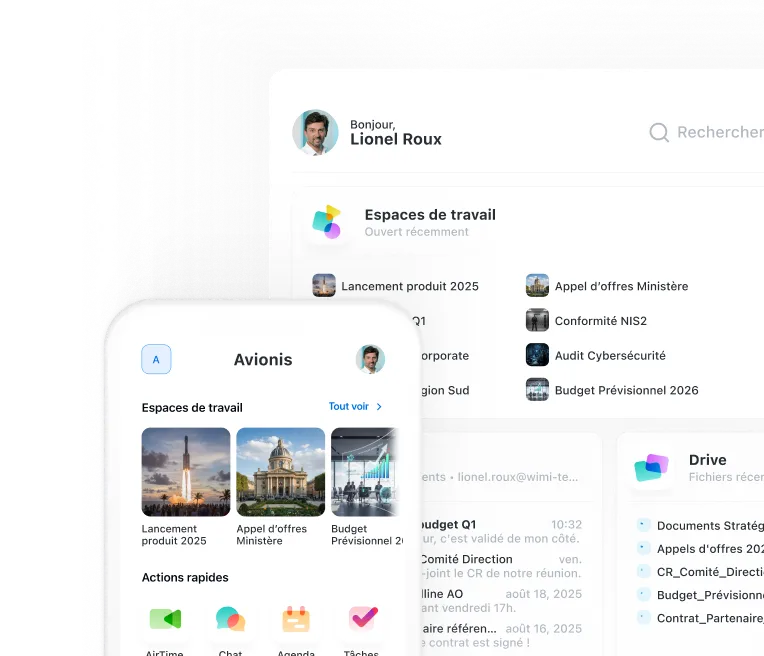
To solve this problem, adopt project management software such as Wimi. The major advantage of this type of software is that it includes all the functionalities essential to collaborate effectively with your team and easily manage all your projects, such as:
- centralization and sharing of documents;
- version management;
- managing and monitoring tasks;
- the project calendar and a shared agenda;
- instant messaging, audio and video calls, and screen sharing;
- the Gantt chart;
- integration with various tools and applications such as Dropbox, Slack, Evernote, Google Drive, etc.;
- access management;
- the security and confidentiality of your data.
Get started: opt for a collaborative platform to manage your projects and eliminate recurring document sharing issues.