All the power of Wimi in your pocket
A complete mobile ecosystem to work where you want: manage your projects with Workspace, communicate in real time with Air, secure your connections with MFA. Available on iOS and Android. Access all of your spaces, files, tasks, and conversations from anywhere.
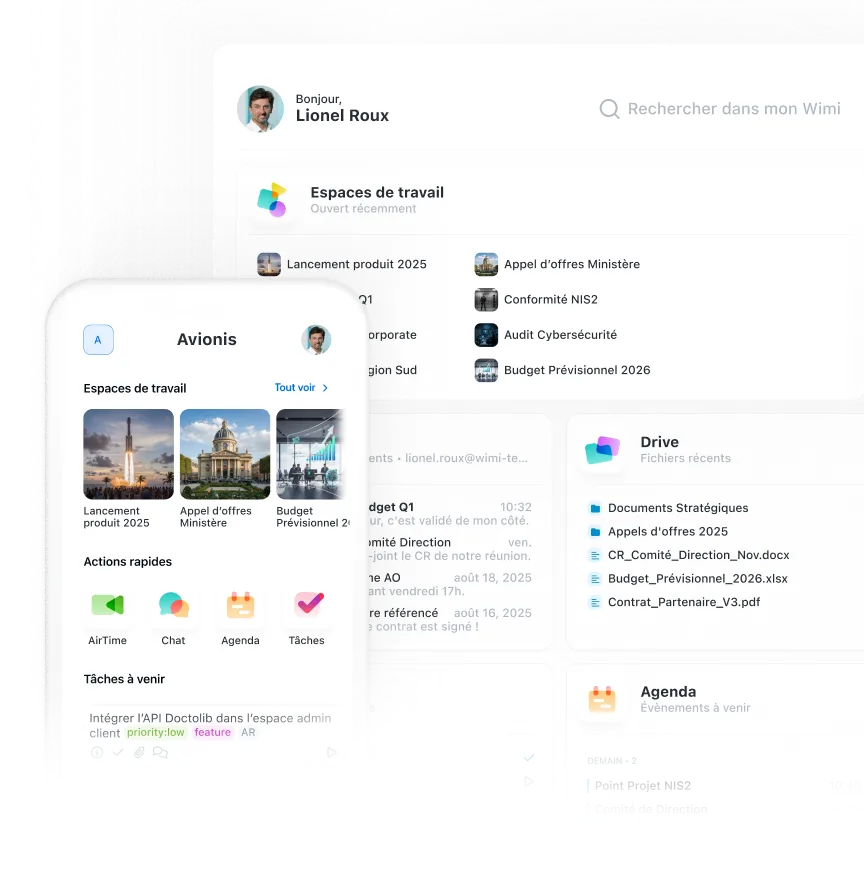








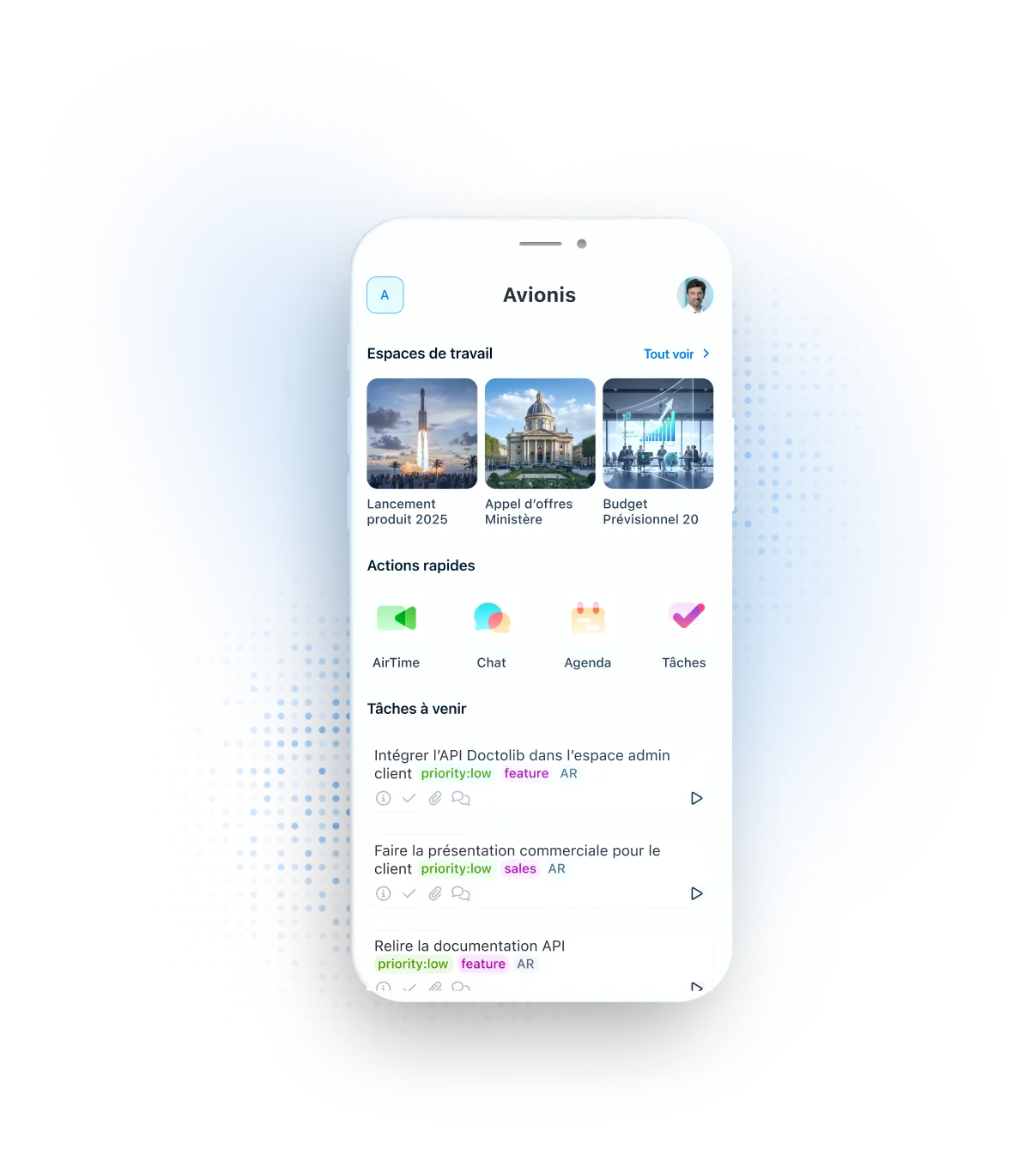
Manage all your projects from your smartphone
Access your workspaces, documents, tasks, agenda, and users. Create, edit, and share files in a few taps. Instantly search for a document, task, or event. Launch quick actions on your critical projects. All the power of Wimi to pilot on the go.

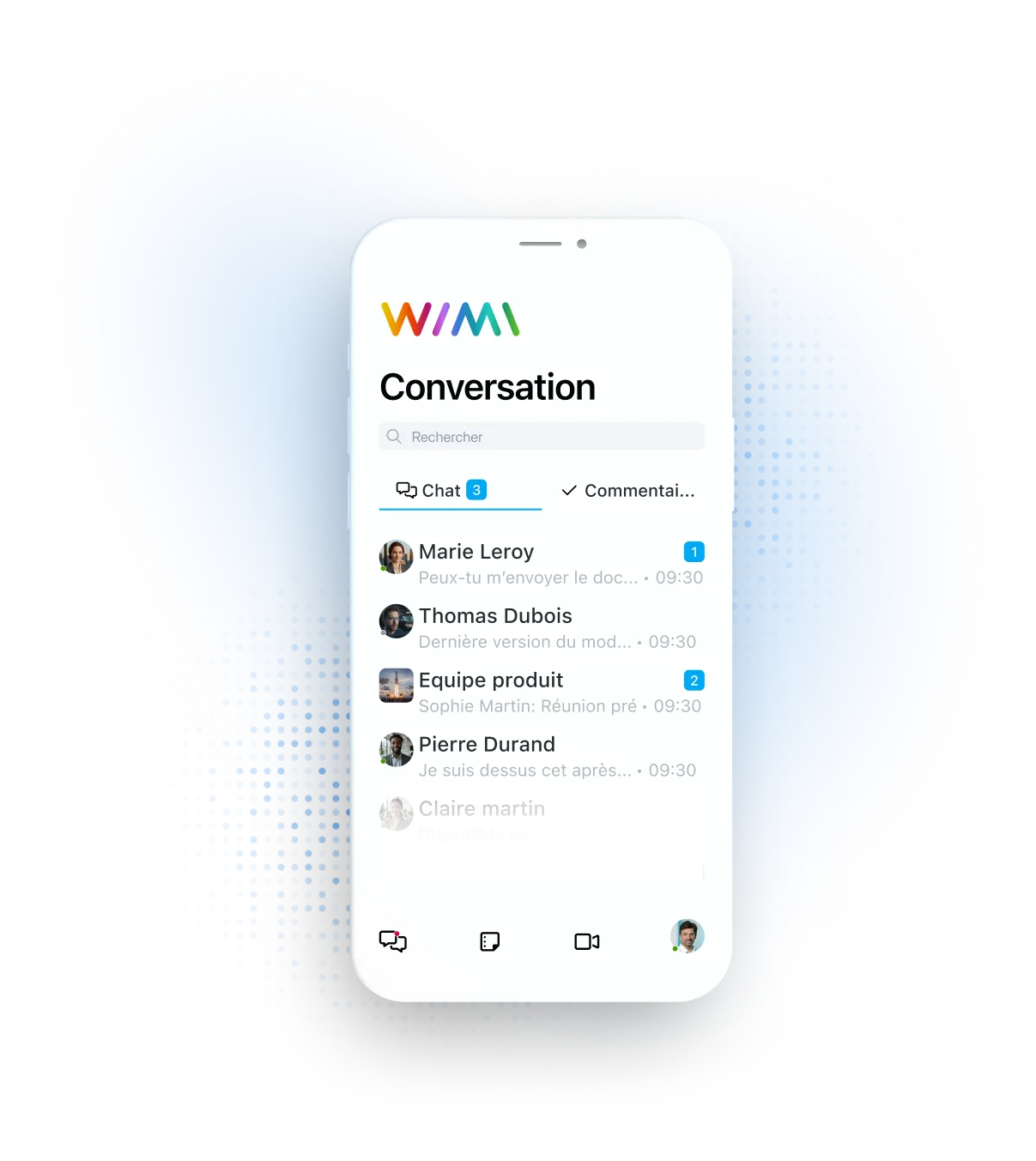
Communicate with your teams wherever you are
Instant text and voice messages, HD video calls, project-based chat channels. Join audio/video meeting rooms, share your screen, access corporate communities. Chat privately or in groups without leaving your app. Seamless communication on the go as well as in the office.

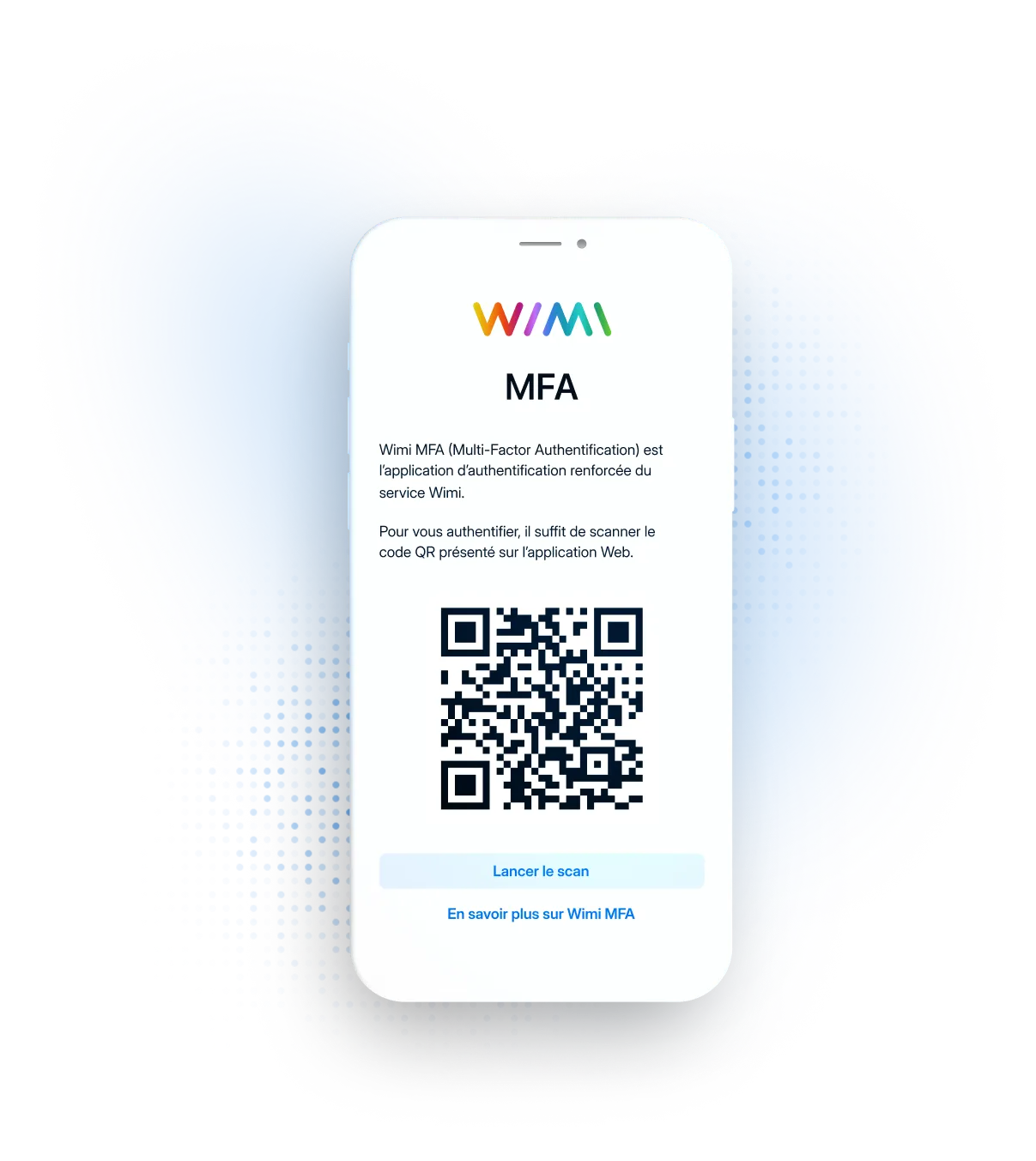
Secure your connections with biometric authentication
Protect your account with multi-factor authentication from your smartphone. Scan the QR Code displayed on your computer, validate by fingerprint or facial recognition. Temporary 6-digit codes for devices without biometrics. Anti-impersonation protection, enhanced compliance.
“Wimi is a solution perfectly suited to collaboration in project mode. Its ease of handling and the flexibility offered according to uses convinced us. Covid-19 and the periods of teleworking have only amplified the need for such a solution to maintain exchanges and continue our projects.”Lorem ipsum dolor sit amet, consectetur adipiscing elit, sed do eiusmod tempor incididunt ut labore and dolore magna aliqua. Ut enim ad minimim veniam, qui nostrud exercising ullamco laboris nisi ut aliquip ex ea commodo consequat. Duvet high grain color wine In voluptate velit esse illum dolore eu fugiat nulla pariatur.


“Wimi is a solution perfectly suited to collaboration in project mode. Its ease of handling and the flexibility offered according to uses convinced us. Covid-19 and the periods of teleworking have only amplified the need for such a solution to maintain exchanges and continue our projects.”


"Wimi nous permet de centraliser notre processus de création et de planification de contenus. La plateforme nous apporte une vision claire et centralisée de notre production. Je le recommande sans hésiter aux équipes qui veulent gagner en agilité et optimiser leur processus de création de contenus."


"Wimi nous permet de faciliter la communication entre le staff et les joueurs, de fluidifier le partage des données et d’accélérer la planification de nos évènements sportifs. Le budget est aussi très attractif au regard du périmètre fonctionnel, riche et ergonome couvert par la solution."

"Wimi est un outil sécurisé et sécurisant qui répond clairement aux besoins d’une profession réglementée par le secret professionnel. Travailler sur nos dossiers depuis la plateforme est devenu une évidence pour nous. Nous sommes bluffés par la facilité avec laquelle nos clients et partenaires adoptent la solution."


Your questions about Wimi mobile applications
What is the difference between Wimi Workspace, Wimi Air and Wimi MFA?
These are three complementary applications that form the Wimi mobile ecosystem: Wimi Workspace = Project Management and Productivity
- Access to your workspaces
- Manage documents via Wimi Drive, tasks, calendar, users
- Fast actions and global research
Wimi Air = Communication and collaboration
- Instant text and voice messages
- Audio/video calls and meeting rooms Wimi AirTime
- Discussion channels and communities
Wimi MFA = Security and Authentication
- Multi-factor authentication using biometrics
- Scan QR Code for secure connection
- Identity theft protection
In practice: Install Workspace to manage your mobility projects, Air to communicate with your teams, and MFA to secure your connections. The three complement each other for a complete mobile experience.
Can I do the same actions on mobile as on desktop?
Yes, the vast majority of essential features are accessible:
Available on mobile:
- Chat via Wimi Chat and send voice messages
- Share and consult documents via Wimi Drive
- Create and assign tasks
- Join video conferences (audio and video)
- Access communities
- Consult theThe agenda and events
- Receive notifications in real time
- Start quick actions
Minor limitations:
- Advanced configuration of spaces (more practical on desktop)
- Simultaneous documentary co-publishing
- Detailed reporting (consultation OK, limited configuration)
Philosophy: Mobile applications are designed to consult, respond quickly, and collaborate on the go. For advanced administration or intensive documentary work, the web version remains more comfortable.
Do the apps work offline?
Partially, depending on features:Available offline:
- View recently opened documents (cached)
- Reading messages that have already been loaded
- View synchronized tasks and events
Requires connection:
- Uploading new documents
- Sending messages and video calls
- Creating/editing tasks
- Real-time synchronization
Automatic reconnection: As soon as you find a WiFi or mobile connection, the applications are automatically synchronized. Actions performed offline are sent to reconnection.Tip: Open your important documents before moving so they can be viewed offline.
Do I need to install all three apps or just one is enough?
It depends on your daily use:Minimum configuration:
- Wimi Workspace only = Access projects, documents, tasks, agenda
Recommended configuration:
- Workspace + Air = Project management + smooth communication
Full configuration (if MFA enabled):
- Workspace + Air + MFA = Total experience with enhanced security
Compatibility: The three applications work on smartphone and tablet (iPad, Android tablets). You can install only the ones you need. MFA becomes mandatory only if your administrator activates it on your account.
Is my data secure on mobile?
Yes, same security on mobile and desktop:Data protection:
- Encrypted communications (TLS/SSL)
- Accommodation France
- Biometric authentication via Wimi MFA
- Automatic logout after inactivity
In case of lost/theft: Report immediately to your administrator who can revoke access to your device remotely. Your data stays on secure Wimi servers, not stored locally on the lost device. Best practices:
- Activate smartphone lock (code/biometrics)
- Install Wimi MFA if available
- Disconnect if you lend your phone
How do I download Wimi applications on my smartphone or tablet?
On iOS (iPhone and iPad): Go to the App Store, search for “Wimi Workspace”, “Wimi Air” or “Wimi MFA” according to your needs, then install the applications you want. Compatible with iOS 13 at least.
On Android (smartphones and tablets): Go to the Google Play Store, search for “Wimi Workspace”, “Wimi Air” or “Wimi MFA”, then install. Compatible with Android 8.0 at least.
Free: The download and use of applications are 100% included in your Wimi subscription, at no additional cost. Log in with your usual Wimi login details.
Available languages: The mobile applications are available in French and English. The web app is available in 9 languages.