
The 10 best collaborative task management tools

To be productive in your work, it is important to be well organized and to manage your time effectively. This includes knowing what tasks you need to do each day, their deadlines, and their status (upcoming, ongoing, overdue, completed). Today, there is no need to write down your tasks on a loose sheet, a post-it note or an Excel file because there are task management tools to simplify your life.
With a task manager, you can create and schedule your tasks, prioritize them, prioritize them, track their progress, allocate resources for each task, ask for help from a collaborator, receive notifications when a task is overdue, or even automate recurring tasks. Better manage your daily tasks by using a collaborative task management tool allows you to be more efficient in the overall management of your projects.
Here is a comparison of the 10 best tools Collaborative task management Currently available.
1. Wimi, more than just a task manager
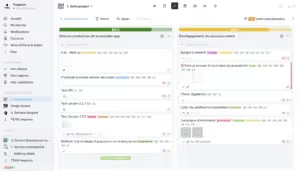
With Wimi, you can easily manage all the tasks in your projects. This 100% French and highly secure collaborative suite (it is one of the first collaborative suites in the process of being qualified by SecNumCloud) allows you to create workspaces dedicated to your projects and activities. Your data is centralized there, which gives you a global vision of the progress of your work. In addition, Wimi's numerous functionalities make it an indispensable tool to effectively manage all your projects and easily collaborate with your team members, regardless of where they are located.
Wimi's customers include Groupama, the Ministry of Ecological Transition and the Orsay Museum.
Main features
- The creation of workspaces for each project/activity.
- A dashboard to see the planning of tasks and monitor their progress.
- The ability to filter task lists and import them from other task managers.
- A multitude of functionalities to effectively manage your projects (document sharing, shared calendars, version management, etc.).
- Monitoring the progress of your projects thanks to a reporting tool.
- The ability to integrate your favorite applications and tools.
Limits
- ace Project Management Software All-in-one, Wimi will not suit you if you are only looking for a task management tool.
Rates
- Packages starting at €3 per user per month. Decreasing price according to the number of users.
- Special offers for students and associations.
- Free 14 day trial.
2. monday.com, a solution to effectively manage your tasks
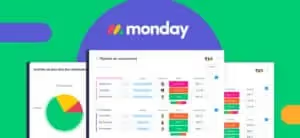
By choosing monday.com, you provide your teams with a platform that allows them to improve their productivity and personalize the organization of their work. With this Israeli software, managing your tasks becomes child's play. You can find all the documents, information, and comments related to a task in one place. You can transform a request directly into a task and immediately assign a collaborator to carry it out. You can set the status and priority of a task, and track its progress at a glance on your dashboard.
Accor, Coca-Cola, and Universal Music Group are among the companies that trust monday.com.
Main features
- A dashboard to track your tasks in real time.
- The ability to easily automate a large number of tasks.
- Gantt and kanban for a simple and visual follow-up.
- The integration of your tools in the same space.
- The other monday.com products to effectively manage all types of projects.
Limits
- Only Enterprise customers can choose to host their data on European territory. For the others, their data is therefore subject to the Cloud Act or to the Patriot Act because they are hosted on American soil.
Rates
- Prices start at €8 per month for the basic version.
- Free trial.
3. MeisterTask, the secure management of your tasks
MeisterTask Is an Austrian platform that works with the Kanban method To allow you to easily manage and visualize all of your tasks. This tool Collaborative is essential to monitor the progress of your projects and know at a glance the status of the various tasks to be completed (to be done/in progress/completed). Easily plan your projects and collaborate effectively with your team thanks to a powerful task manager and adapted functionalities (check list, agenda, notifications, user groups, comments, etc.).
Companies that have chosen MeisterTask include Allianz and Ritter Sport.
Main features
- A customizable dashboard.
- The measure of time spent on a task to assess performance.
- The creation of checklists for each task.
- The ability to add attachments and link tasks together.
- The personalized organization of tasks thanks to a label system.
Limits
- MeisterTask is best suited for smaller teams.
Rates
- Packages starting at €8.25 per month.
- A free basic version.
- Special rates for students and teachers.

4. Todoist, an application to organize all your tasks
Do you need help organizing, planning and managing your tasks at work, but also in your private life? Todoist is a simple and intuitive application that allows you to better organize your schedule. Choose the level of precision you want to work with. Add a task and get it done, or set a due date, priority level, create subtasks, schedule a reminder, and share or delegate tasks. Thanks to Todoist, you free your mind and are more productive on a daily basis.
Todoist's customers include Netflix, Apple, and NASA.
Main features
- The clear visualization of the tasks in progress.
- Highlighting important tasks.
- The possibility of easily delegating your tasks.
- Viewing with Kanban-type cards and adding comments and files to your tasks.
- The creation of productivity goals and the visualization of your performance.
Limits
- Some features are only available on the Pro version.
- For data hosting, Todoist uses the services of Stripe, AWS, and Google Workspace. Your data is therefore subject to the Cloud Act.
Rates
- A free version.
- Packages starting at €4 per month.
- Free 30-day Todoist Business subscription trial.

5. Any.do, a single application for better organization
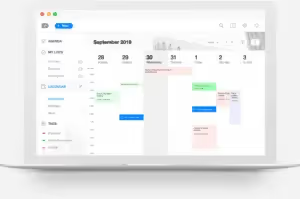
Being well-organized is essential to effectively manage daily tasks and improve productivity. An application like Any.do is the ideal tool to never forget anything, achieve your goals and be perfectly organized. You create to-do lists that you identify by color based on priorities and categories. You can easily track your progress and create reminders to avoid oversights. Finally, Any.do syncs across all of your devices so you can access your to-do list anywhere, anytime.
Main features
- A calendar to effectively manage your time.
- Smart reminders (punctual, recurring, or location-based) so you don't forget anything.
- A daily planner to focus on your goals.
- Adding notes, subtasks, and attachments
- The ability to share your to-do lists and assign tasks.
Limits
- It is a very simple application that lacks features.
- The data is hosted in the United States and therefore subject to the Cloud Act.
Rates
- A free version.
- A Premium version starting at €5.97 per month.
6. Microsoft To Do to Better Plan Your Tasks
Among the many collaborative tools offered by the American giant Microsoft to improve your productivity, there is a task manager called Microsoft To Do. You can easily create your to-do lists and share them with your team, get an overview of your day, add color codes to better find your way around, set deadlines and set up one-time or recurring reminders so that nothing escapes you. Microsoft To Do helps you stay focused and reach your daily goals.
Main features
- Sharing your to-do lists.
- The creation of subtasks and the addition of deadlines and notifications.
- Integrating tasks into Outlook.
- An intelligent and personalized suggestion of tasks for greater efficiency.
Limits
- Microsoft is an American company subject to the Cloud Act.
Rates
- Microsoft To Do Alone is available for free.
- The Microsoft 365 offer starts at €5.10 excluding VAT per user per month.
- Microsoft 365 free trial for 1 month.

7. Google Keep, task management made easy
Like Microsoft, Google has also created its own to-do list tool called Google Keep. This application allows you to write down everything that comes to your mind, whether it's your professional tasks or your personal activities. At work, thanks to Google Keep, you stay organized and work more efficiently by keeping track of all your ideas and tasks. You can share your to-do lists with collaborators, add documents, photos, and audio files to them, and create reminders so you don't forget anything.
Main features
- The automatic transcription of an audio file into a written note.
- The ability to turn a photo into text.
- The creation of reminders based on time or location.
- Simplified access to your to-do lists in other Google tools.
- The ability to sort your notes by color, label, or attribute.
Limits
- As an American company, Google is subject to the Cloud Act.
Rates
- Google Keep is available for free for individuals.
- Google Workspace plans start at $4.68 per user per month.
- Free 14 day trial.

8. Trello, an effective to-do list solution
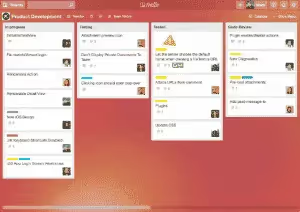
Like Wimi, Trello is a project management software that can be used as a task manager. Thanks to its lists and boards, Trello allows you to get a clear and precise vision of the progress of your tasks and who is doing what. This visual tool can be customized to adapt to your team's working methods and thus improve your daily productivity. Easily assign collaborators to your tasks, set deadlines, create subtasks, create subtasks, leave comments, add attachments, and track your progress at a glance.
Trello customers include Zoom, Visa, and John Deere.
Main features
- Visualization of tasks and projects in various ways (table, schedule, calendar, etc.).
- The ability to easily automate certain tasks.
- A variety of templates available that are easy to use and proven by the Trello community.
- The creation of reminders so you don't miss any deadlines.
- Integration with your favorite tools.
Limits
- This all-in-one tool won't suit you if you're just looking for a task manager.
- Trello is an American company, so your data is not hosted on European territory and is subject to the Cloud Act.
Rates
- A free version.
- Paid packages starting at €5 per user per month.
- Discounts for non-profit organizations and educational institutions.
9. Pomotodo, Manage Your Tasks with the Pomodoro Method
Surely you know the Pomodoro Method Which consists of working in intervals of 25 minutes in order to be more efficient. The application Pomotodo is inspired by this technique to allow you to be more productive in managing your tasks. It is a simple but effective tool to list your tasks, prioritize them, highlight them, etc. You know how much time you will spend on each task, so you can monitor and assess your productivity every day.
Main features
- A timer to keep track of the time spent on each task.
- Statistics to know your pace of work and the number of tasks completed over a given period of time.
- A history of tasks completed.
- The app is available online, on desktop, and on mobile.
Limits
- No integration possible.
- Pomotodo is a Chinese company, so your data is not hosted on European territory.
Rates
- A free version.
- A Pro version for more features starting at €3.90 per month.
- A 50% discount for students and teachers.

10. Notion, an all-in-one tool to manage your tasks
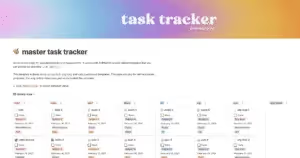
Collaborative software Notion Helps you be more efficient, in particular by centralizing your work, documents and data on a single platform. You collaborate effectively with your colleagues on your projects, regardless of where they are located. And you easily manage your tasks by customizing the software to meet your needs. Notion is an all-in-one tool that combines multiple functionalities to allow you to be more efficient in managing your daily tasks.
Capgemini, AXA Climate, and Qonto are some of the companies that use Notion.
Main features
- Note-taking.
- The creation of boards with a Kanban view.
- The use of turnkey models.
- The personalization of your workspace.
- Community support if you need help or resources
Limits
- As a company based in the United States, Notion is subject to the Cloud Act.
Rates
- Team packages starting at €8 per user per month.
Today, task management has never been easier thanks to the multitude of collaborative tools available. Our comparison allows you to evaluate the various offers. Do not hesitate to test the free versions or take advantage of the free trial to find the task manager that suits you and best meets your needs.


