
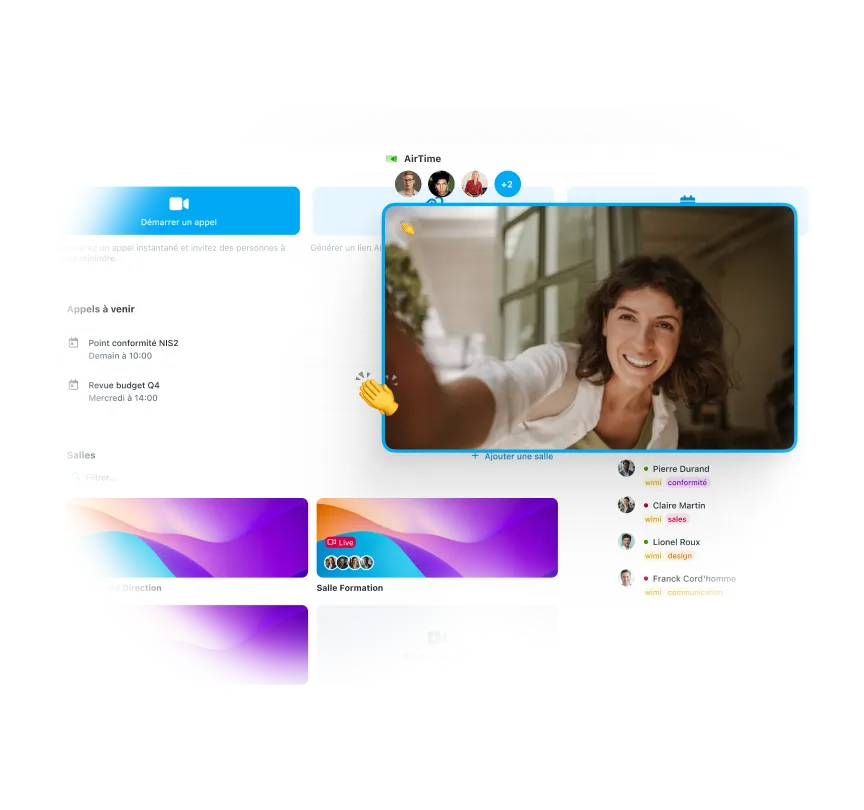








Start your videos without downloading any software
It all works right in your browser. Share a link, your guests click and join the meeting instantly. No updates, no compatibility to manage, no technical friction.
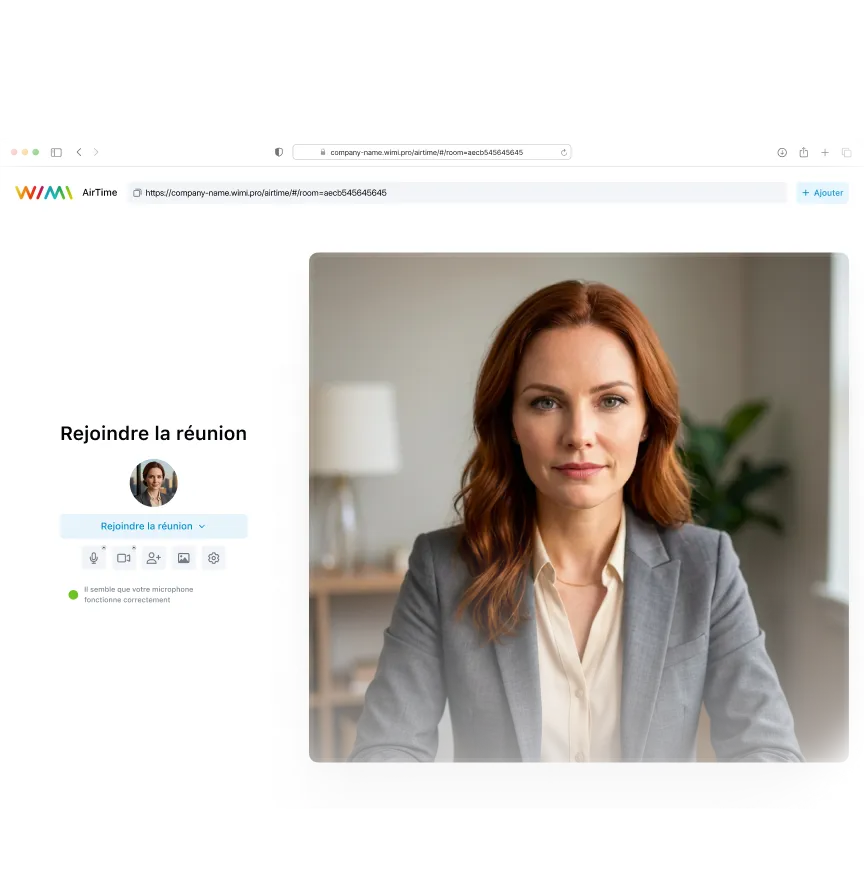

Invite your customers and partners even without an account
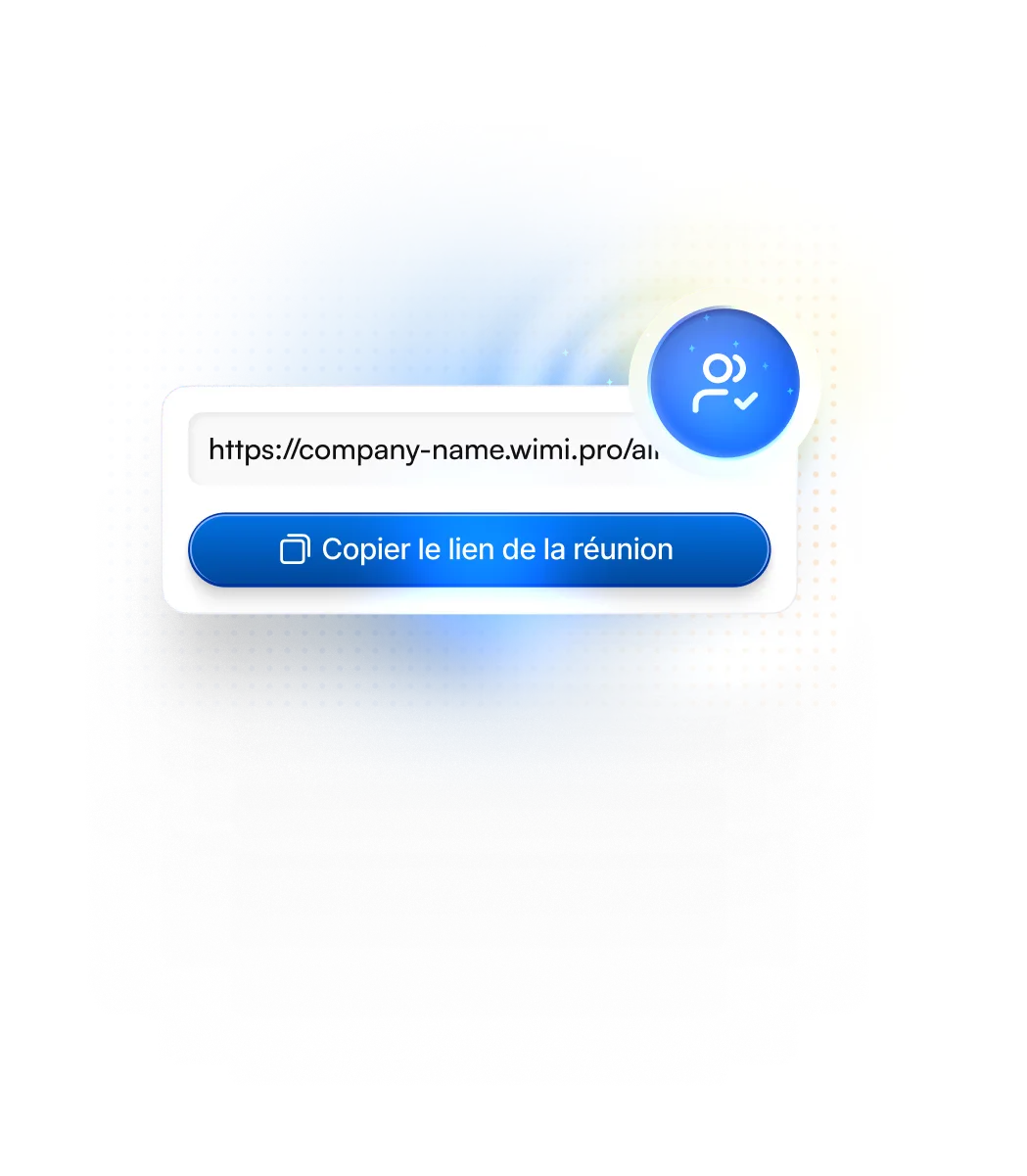
Your external guests do not need a Wimi account or installation. A simple link is enough to join the meeting from any computer or mobile with an Internet connection.

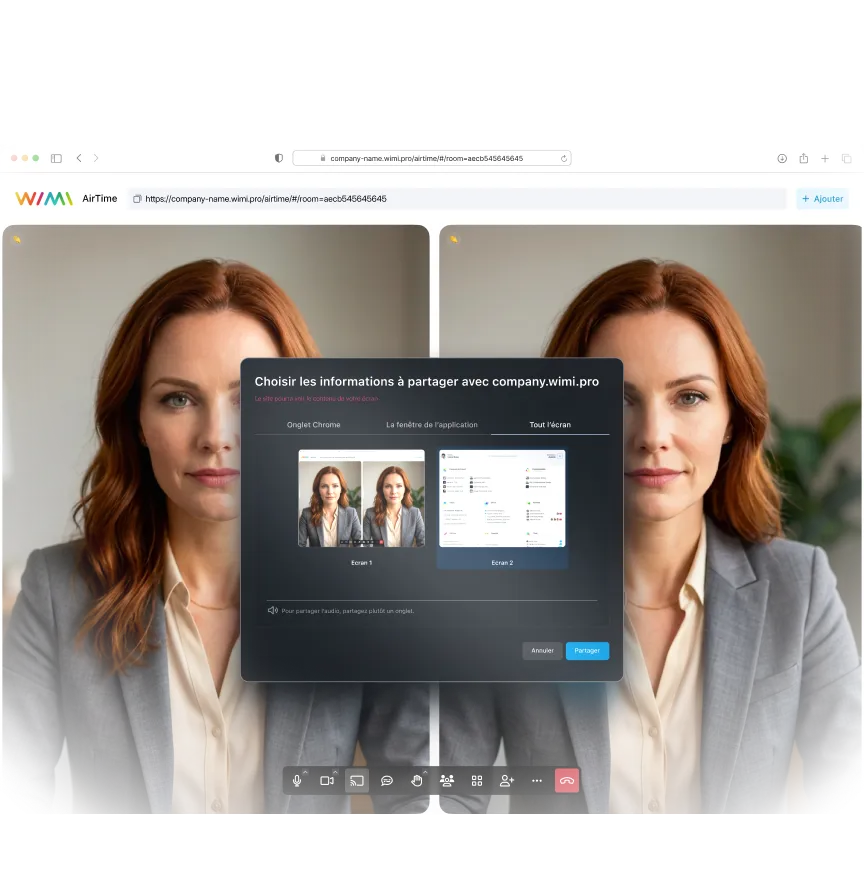
Share exactly what you want to show
Choose to share a specific window, tab, or the entire screen. Show off your documents, demos, or dashboards without exposing the rest of your desk.

"Wimi est une solution parfaitement adaptée à la collaboration en mode projet. Sa simplicité de prise en main et la flexibilité offerte en fonction des usages nous ont convaincus. La Covid-19 et les périodes de télétravail n'ont fait qu'amplifier la nécessité d'avoir une telle solution pour maintenir les échanges et poursuivre nos projets."Lorem ipsum dolor sit amet, consectetur adipiscing elit, sed do eiusmod tempor incididunt ut labore and dolore magna aliqua. Ut enim ad minimim veniam, qui nostrud exercising ullamco laboris nisi ut aliquip ex ea commodo consequat. Duvet high grain color wine In voluptate velit esse illum dolore eu fugiat nulla pariatur.


“Wimi is a solution perfectly suited to collaboration in project mode. Its ease of handling and the flexibility offered according to uses convinced us. Covid-19 and the periods of teleworking have only amplified the need for such a solution to maintain exchanges and continue our projects.”


"Wimi nous permet de centraliser notre processus de création et de planification de contenus. La plateforme nous apporte une vision claire et centralisée de notre production. Je le recommande sans hésiter aux équipes qui veulent gagner en agilité et optimiser leur processus de création de contenus."


"Wimi nous permet de faciliter la communication entre le staff et les joueurs, de fluidifier le partage des données et d’accélérer la planification de nos évènements sportifs. Le budget est aussi très attractif au regard du périmètre fonctionnel, riche et ergonome couvert par la solution."

"Wimi est un outil sécurisé et sécurisant qui répond clairement aux besoins d’une profession réglementée par le secret professionnel. Travailler sur nos dossiers depuis la plateforme est devenu une évidence pour nous. Nous sommes bluffés par la facilité avec laquelle nos clients et partenaires adoptent la solution."


A complete suite to manage your business

Create your meeting in the Wimi calendar and launch AirTime in one click on D-Day. Invited guests receive the link automatically and join without friction.

Share the agenda on the channel before the meeting, then centralize the minutes and actions to be taken just after. Ongoing communication without interruption.

Share your screen to present a document stored in Wimi Drive. Co-edit in real time and save changes instantly in the project space.
Become an expert in team collaboration


Your questions about AirTime video conferences
What is the difference between Wimi AirTime and Zoom or Microsoft Teams?
Wimi AirTime is a sovereign video conferencing solution designed for organizations that care about the protection of their data. Here are the major differences.No installation required:
- AirTime: Works 100% in the browser, no software to download
- Zoom/Teams: Require the installation of client applications (desktop + mobile)
Accommodation and sovereignty:
- AirTime: Hosted in France, immune to the Cloud Act, objective: SecNumCloud ANSSI qualification
- Zoom/Teams: Mainly American servers, subject to extraterritorial laws
Full integration:
- AirTime: Native to the Wimi suite (agenda, chat, workspaces, documents)
- Zoom/Teams: Isolated tools that require 3rd party integrations
Guests without an account: With AirTime, your customers and partners join the meeting via a simple link, without creating an account or installing anything.
Does Wimi AirTime really work without installing anything?
Yes, AirTime is a 100% web video conference that works directly in your browser.No download required:
- No application to install on your computer
- No browser extension required
- No plugins to allow
- No manual updates to manage
Compatible browsers:
- Chrome, Firefox, Safari, Edge (recent versions)
- Runs on Windows, macOS, and Linux
- Mobile compatible via Wimi Air applications (iOS and Android)
The simplified process:
- Create your meeting in Wimi or the Shared Agenda
- Share the room link with your participants
- They click and join instantly from their browser
- Allow mic/camera in browser preferences → let's go!
Security advantage: No third-party software installed = no additional attack surface on your workstations.
Discover Agenda & Meetings.
Are my AirTime meetings really secure?
Wimi AirTime is a secure video conference designed for organizations handling sensitive information.Security guarantees:Sovereign accommodation:
- Servers located in mainland France
- No transit through American or Asian data centers
- Full immunity from the Cloud Act and Patriot Act
Communication Encryption:
- All audio and video streams are encrypted in transit
- Secure screen sharing with data encryption
- Security protocols in accordance with ANSSI standards
Access control:
- Virtual waiting room to validate each participant
- Possibility to lock the room once all the guests are present
- Instant expulsion of an unwanted participant
Regulatory compliance:
- Objective: SecNumCloud ANSSI qualification (S1 2026)
- Adapted to OIV, NIS2, and public sector organizations
- End-to-end encryption option for Restricted Broadcast projects
Ideal for: Strategic committees, boards of directors, meetings with sensitive data, ministries and communities.
Learn more about SecNumCloud at Wimi.
How many participants can join an AirTime meeting?
Wimi AirTime is designed for effective team meetings with a number of participants adapted to collaboration.Capacity according to your package:
- The number of simultaneous participants varies according to your Wimi subscription.
- Contact our sales team to find out the details of your offer
- Possibility to increase capacity for one-off events
Recommendations for use:
- Team meetings (5-15 people): Optimal experience for collaboration
- Presentations (15-30 people): Seamless operation with screen sharing
- Webinars: Contact us for specific needs >30 participants
Features regardless of size:
- HD screen sharing
- Live chat with all participants
- Instant polls
- Session recording (depending on package)
Alternative for major events: For large-scale webinars, we offer dedicated solutions with specific functionalities (Q&A, handshake, presentation mode).
Can I record my meetings and share my screen with AirTime?
Yes! Wimi AirTime offers all the essential features for professional video conferences.Screen sharing:
- Share a specific window, tab, or the entire screen
- Granular control: show only what you want to show
- HD sharing for clear, professional presentations
- Works on desktop and mobile
Meeting recording:
- Record your meetings directly from AirTime (depending on your package)
- The recordings are stored in Wimi Drive, hosted in France
- Share the replays with the absentees via a secure link
- Option to encrypt recordings for sensitive meetings
Other features available:
- Live chat during the meeting to share links and comments
- Instant polls to make collective decisions
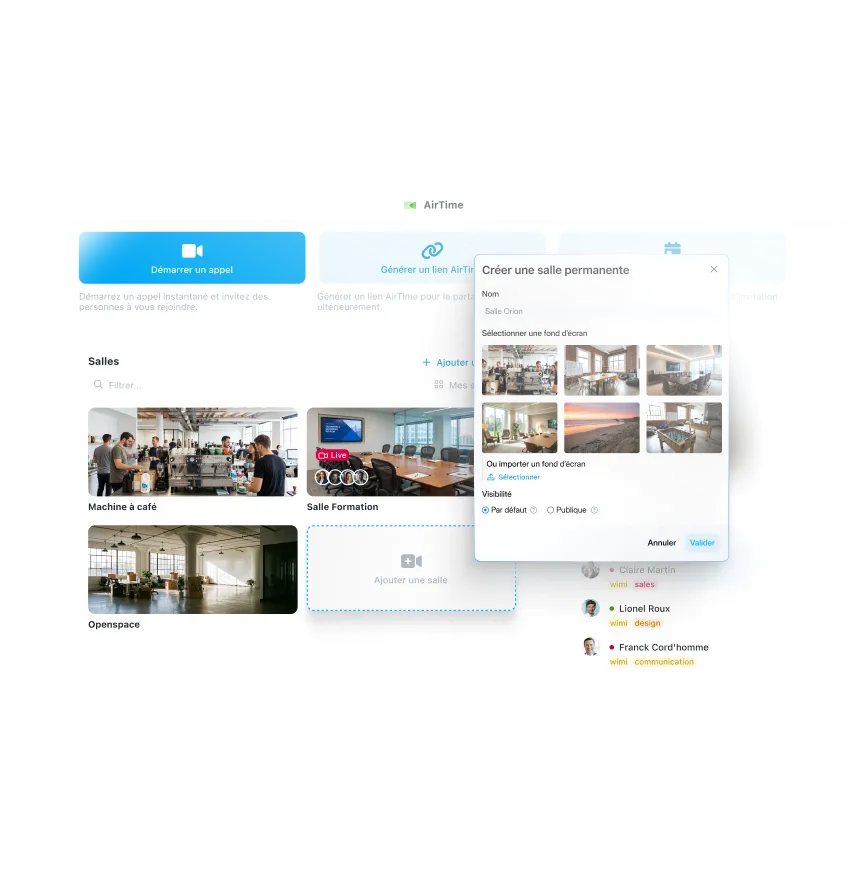
- Permanent rooms: create recurring room links for your weekly meetings
- Automatic subtitling (according to package) to improve accessibility
Access to recordings: Find all your replays in your Wimi Drive, organized by workspace and project.
Discover Wimi Drive.
How do I launch an AirTime video from my calendar or my workspaces?
AirTime is perfectly integrated into the Wimi collaborative suite for a smooth experience. From the Shared Agenda:
- Create a meeting event in the Wimi Agenda
- Click on “Start meeting” on D-day
- AirTime launches instantly in your browser
- Participants automatically receive the link by email
From a Workspace:
- Click on the AirTime icon in your project toolbar
- The meeting room opens with all the participants in the space
- Perfect for quick and spontaneous team points
From the Chat & Channels:
- Start an audio/video call directly from a conversation
- Transform a written exchange into a video in one click
- Other channel members can join instantly
Permanent rooms:
- Create dedicated AirTime rooms that are accessible 24/7
- Use the same link for your recurring meetings (daily, weekly, monthly committee)
- Your teams always know where to reach you
Invite outsiders: Simply share the room link by email or via Wimi Inbox. Your customers and partners join without a Wimi account.
Discover Chat & Channels or Wimi Inbox.

Simplify your meetings now
No installation, no technical complexity. Share a link and start collaborating. See why thousands of organizations choose AirTime for daily video meetings.