
The 10 best instant messaging apps.

Today, who does not have an instant messaging application on their smartphone? In recent years, everyone (or almost everyone) has been using this practical and multifunctional tool to communicate in real time with friends and family as well as with colleagues, boss or customers.
In the professional world, instant messaging solutions have multiplied following the digital transformation. More and more small and large businesses are using them to promote internal communication between employees, easily share documents and multimedia files, increase team responsiveness, encourage team spirit, and facilitate exchanges with customers and suppliers. Also, unlike email, instant messengers are very secure and have no (or few) spam.
Among the multitude of instant messaging solutions adapted for professional use available on the market, it can be difficult to make a choice. Here is a comparison of the 10 best instant messaging applications, in order to make the right choice according to your needs
1. Wimi, much more than a simple instant messaging app for businesses
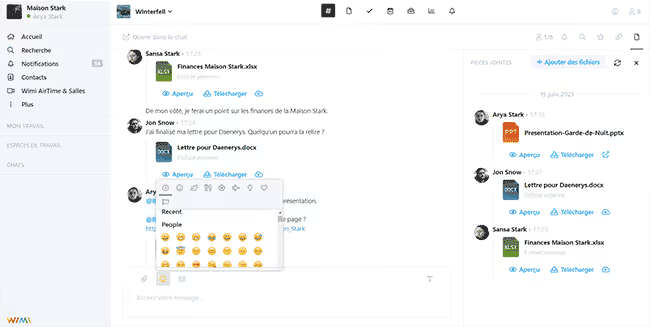
Communication is essential to manage your projects effectively. A tool such as Wimi allows you to centralize your discussions and organize them in instant messaging channels. You can create discussion groups to discuss a specific topic or create private chat channels to exchange more confidential information. Wimi also offers the Wimi AirTime tool to organize audio or video calls, and easily share your screen with your interlocutors. Finally, Wimi is a French company concerned about security and the protection of your data. She therefore chose to entrust their accommodation to a French provider physically located in France.
Wimi's customers include Vinci, the French Rugby Federation and Sephora.
Main features
- The organization of Channel discussions dedicated.
- The creation of discussion groups or private channels.
- Sharing files, links, photos, emojis, and comments.
- An audio and video calling and screen sharing system.
- Features to facilitate project management (shared calendars, task manager, co-publishing tool, etc.).
- A corporate social network to develop internal communities.
Limits
Wimi is primarily a collaborative suite for professional use. So it is not the most suitable tool if you are only looking for an instant messaging service.
Rates
- Paid packages starting at €3 per user per month. Decreasing price according to the number of users.
- Special rates for students and associations.
- 14 day free trial.
2. Slack, a team communication software with a free basic version
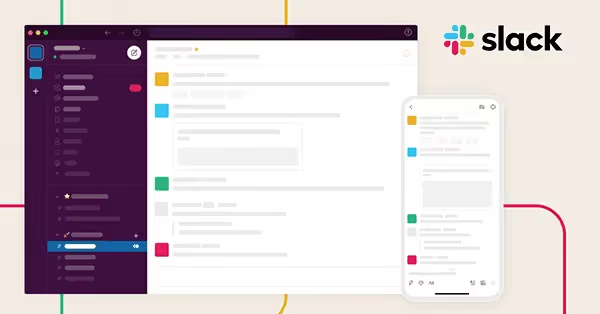
Slack is probably the most famous business communication tool in the world. This messaging application for professional use consists of organized spaces (or channels) dedicated to your projects. The aim is to allow your employees to be able to share ideas, plan tasks and make decisions in a single space in order to be more productive on a daily basis. You can collaborate directly and exchange with all your colleagues, but also with your customers, suppliers and external partners. So, Slack allows you to bring the right people and the right information together in a shared collaborative space to work more effectively.
Slack customers include Deezer, Airbnb, and Le Monde newspaper.
Main features
- Customizable discussion channels to organize your work by project.
- Adapted tools to promote asynchronous communication (sending delayed messages).
- A call system and screen sharing to make progress more quickly.
- The addition of people external to the company for better collaboration.
- The possibility of integrating software and applications directly into the platform.
Limits
As an American company, Slack is subject to Cloud Act.
Rates
- A free basic version.
- Plans with more features starting at €6.25 per month per user.
- A 30-day free trial.
3. Microsoft Teams, the Microsoft 365 chat
The health crisis and the boom in teleworking have encouraged development collaborative tools for working remotely like instant messengers. So, in January 2022, Microsoft Teams has crossed 270 million monthly active users (according to Microsoft) when it had only 44 million in February 2020, before the first lockdown. This messaging application designed for businesses of all sizes (and for individuals) makes it possible to streamline communication thanks to various conversation features such as a chat, a videoconferencing system and a co-editing tool.
LVMH, Urssaf and ENGIE are some of the companies that have chosen Microsoft Teams.
Main features
- Discussion by messages and video calls.
- Sharing and storing files and documents.
- The integration of users of other videoconferencing tools.
- The ability to add visual background scenery during video calls.
- The automatic transcription of audio or video meetings and the subtitling of speeches in various languages.
Limits
Be careful about the protection of your data because the American giant Microsoft is subject to the Cloud Act.
Rates
- A free version.
- A paid package starting at €3.40 excluding VAT per month per user.

4. Google Chat, the Google Workspace instant messenger
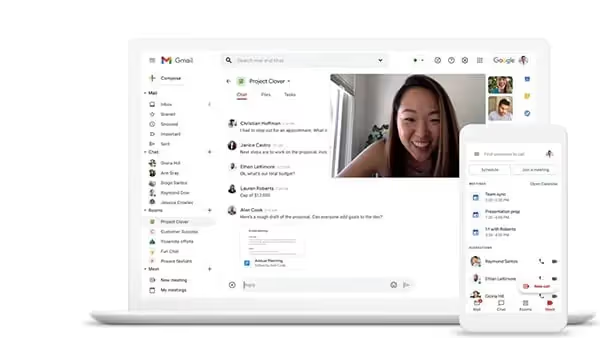
The aim of Google Chat (formerly Hangouts) is about simplifying private and group conversations. This tool promotes team collaboration by allowing employees to discuss in a secure manner. You can create spaces, that is, centralized chat rooms dedicated to a specific topic. Here, employees can exchange ideas, share knowledge and experience, develop internal communities, and strengthen corporate culture and a sense of belonging. All this while moving their project forward in a more efficient way.
Main features
- A “search” function to easily find your old conversations and files.
- Using bots to automate simple tasks.
- Integration with Google applications and other tools to centralize all of your notifications.
Limits
When you use Google Chat and other Google tools, your data is subject to the Cloud Act.
Rates
- Google Chat is included in Google Workspace plans.
- Prices start at €4.68 per user per month.
- A free trial for 14 days.
5. Typetalk, a chat to promote collaboration
To facilitate collaboration within teams, you need a suitable communication tool that makes it easy to exchange and instantly share all types of documents, such as images and videos. Designed by Japanese software developer Nulab, Typetalk is an instant messaging application that is inspired by Messenger and Tinder. You can chat with a single person or an entire group, sort conversations by importance, and like messages from colleagues. Several functionalities allow you to strengthen team cohesion and employee engagement.
Typetalk customers include Japan Post, DigitalCube, and Fukuoka City.
Main features
- The ability to organize conversations by topic and rank them by importance.
- A timeline that brings together the topics most liked by the members of your team so you don't miss a thing.
- The personalization of your notifications.
- The ability to find all the messages that mention your name.
- The “Do Not Disturb” (DND) function to stop notifications and not be disturbed in meetings or on vacation.
Limits
- The application is in English.
- Since it is a Japanese company, your data will probably not be hosted on European territory.
Rates
- A free version for up to 10 users.
- A paid plan starting at $6 (€5.90) per month and per user.
- A 30-day free trial.
6. Rocket Chat, an open source instant messenger
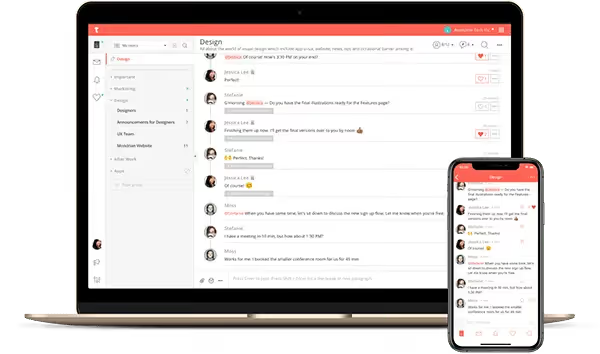
If you are looking for an open source team chat, Rocket Chat is the tool you need. This communication platform allows you to easily communicate with your team via secure instant messaging, but also to collaborate, share files, and organize audio calls and video meetings online. You can also include people outside of your business such as your customers and suppliers. Finally, with Rocket Chat, it is possible to create your own applications or to integrate an unlimited number of tools that you already use to design your Digital workplace ideal.
Audi, Continental, and the Government of British Columbia are among the companies that have chosen Rocket Chat.
Main features
- The possibility of hosting the application yourself and thus guaranteeing the protection of your data.
- The complete personalization of instant messaging.
- The integration of your favorite tools.
- The creation of private or public discussion spaces, personal messages or group conversations.
- A search function to find conversion histories.
Limits
The software has not yet been translated into French.
Rates
- A free basic version.
- A paid Enterprise version starting at €7 per month per user, and the possibility of adding add-ons.
- A 30-day free Enterprise trial.
7. Fleep, a tool combining chat, file sharing and task management
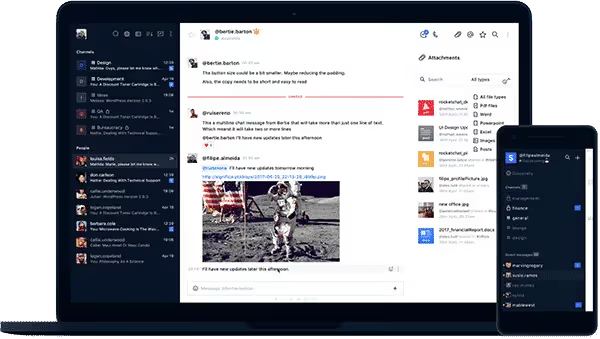
Fleep is an Estonian messaging application that makes it easy for team members to collaborate, share ideas, and connect. On Fleep, you can organize your conversations by project, team, or topic, and add as many participants as needed. You can communicate with any Fleep user, even if they are not part of your company. Plus, the app is accessible everywhere, on any device, so you can easily find your conversations and files no matter where you connect from.
Main features
- The ability to pin important information and messages to a virtual board for everyone to see.
- Each conversation has its Taskboard where you can create tasks, assign them to your collaborators and monitor their progress.
- All photos and files can easily be found in the chat drawer.
- Integration with Where-by for audio and video calls, and with other tools you use on a daily basis.
Limits
- The software is not translated into French.
- No free trial.
Rates
- A fairly limited free version.
- Paid packages starting at €5 per month per user.
8. Ryver, an all-in-one application
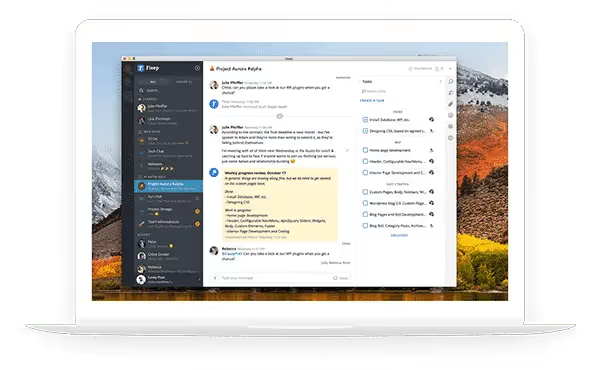
Do you want to avoid juggling multiple tools when working with your team? Ryver is the software you need. This application facilitates team collaboration by combining instant messaging with a task manager and an audio and video calling system. So, you can exchange with your collaborators, sharing files, create and assign tasks and monitor their progress, all on the same platform. A great way to increase your productivity.
Main features
- The creation of public (Forums), group (Teams) and individual (People) conservations.
- An instant messenger to exchange briefly and share files.
- The ability to turn your discussions into tasks and easily track their progress.
- Audio and video calls and screen sharing.
- Integration with your other tools and applications.
Limits
- The software only exists in English.
- Ryver is an American application which is therefore subject to the Cloud Act.
Rates
- Plans starting at $69 (€67) per month for 12 users.
- A free 14-day trial.
9. Flock, a communication platform for better collaboration
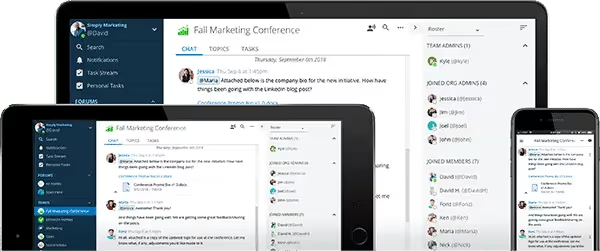
Emails, phone calls, conversations between two doors, it is sometimes difficult to find the thread of a discussion with a colleague. By using a tool such as Flock, you avoid the confusion and disorder that email exchanges can cause. You can organize your conversations and manage your tasks in separate channels for greater simplicity. Thanks to its integrated videoconferencing module, you communicate with your employees directly regardless of where they are. Very practical for teams working remotely. Finally, Flock helps you improve productivity by making file sharing and project management easy.
Main features
- The creation of channels to more easily manage your various conversations.
- The possibility of inviting people from outside the company.
- An integrated search tool to quickly find what you are looking for.
- The use of voice messages to avoid misunderstandings.
- The creation of surveys to find out the opinion of your employees.
Limits
- The software is only available in English.
- Flock is an Indian application, so your data will not be hosted on European territory.
Rates
- A free limited starter version
- Rates starting at $4.50 (€4.40) per month per user, with a 30-day free trial.
10. Chanty, an easy to use instant messenger
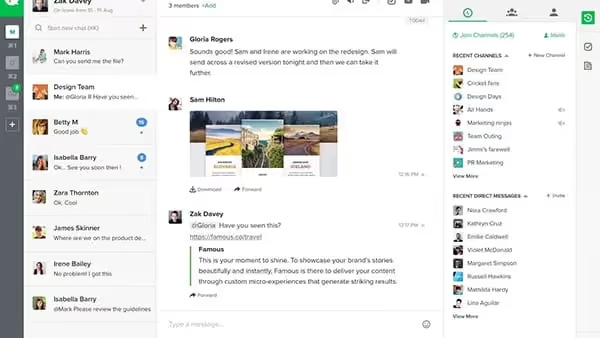
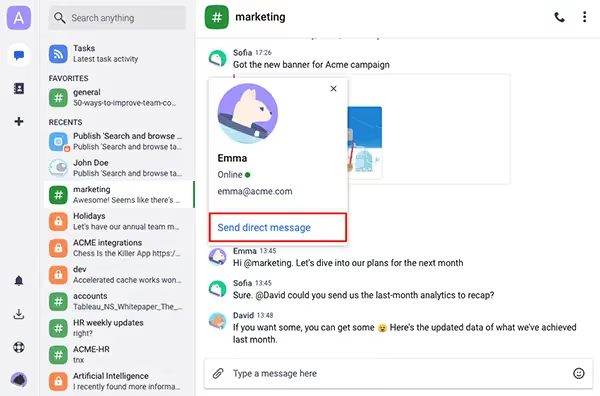
Because it is essential to use simple tools in order not to lose productivity, Chanty offers simple and intuitive team instant messaging that anyone can use. All of your communications are in one place, with no unnecessary or complex features. Organize your exchanges by creating curations by theme or by project. Public discussions are ideal for bringing together all company employees, while private discussions are reserved for members of the same teams or people working on the same project.
Companies that trust Chanty include NASA, Nike, and Salesforce.
Main features
- Sharing all types of content (photos, videos, GIFs, documents, etc.).
- The mention of a collaborator or an entire team with @ for more responsiveness.
- The possibility of pinning down new ideas, important news or a tight deadline so as not to miss anything.
- The ability to create a task from a message.
- The integration of numerous applications.
Limits
- There is no translation into French.
- It is an American company subject to the Cloud Act.
Rates
- Free for life for teams up to 10 members.
- A paid plan starting at $4 (€3.90) per month per user.
It is essential to communicate well with your team to be productive on a daily basis. This is all the more true today as many employees work remotely. An instant messenger is therefore an indispensable tool. Choose from the list of 10 team cats in our comparison.


