What is the cloud? Definition and operation
Cloud
5 min
Posted on
4/2/2026


The cloud is a modern and efficient storage solution that allows you to easily and quickly access your data from any device, regardless of our location. Do you want to know what the cloud is? Discover our comprehensive guide to the definition, operation, pros, and cons of the cloud.
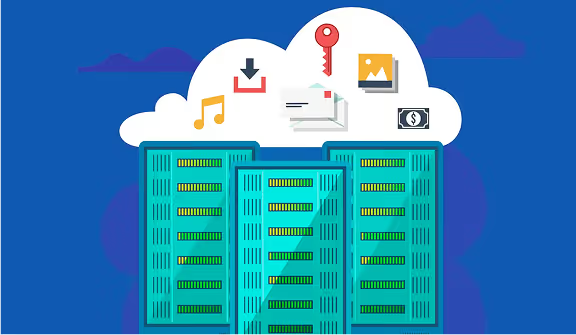
The Cloud (or cloud computing) refers to a computer model that allows data to be stored, managed and processed via the Internet. The cloud is not physical but virtual. It is a network of remote servers linked together like a system. By saving your data to the cloud, you can access it anywhere, anytime and from any device
The top five characteristics of cloud computing are defined by the National Institute of Standards and Technology (NIST). They help to understand why the cloud has become a key technology for businesses. These characteristics are as follows:
The cloud works by virtualizing physical resources (servers, storage, network) to create flexible computing environments that can be accessed via the Internet. Users can provision and manage virtual machines, storage, and applications on demand without having to worry about the underlying infrastructure. Resources are distributed across multiple physical servers and geographically distributed to ensure high availability and scalability. APIs enable the interaction and automation of cloud services.
Outsourcing IT resources through service providers can significantly reduce operational costs, especially since you can only pay for the resources you need at a given time.
In a few clicks, it is possible to add or remove resources as needed. In this way, you significantly improve your agility and the streamlining of processes.
The cloud storage protects you from data loss by recording information on a regular basis within a secure cloud.
By offering each employee the opportunity to have access at any time to shared documents, essential for the completion of its tasks, you promote teamwork and increase productivity.
While sensitive data is theoretically protected when stored within a cloud platform, it is necessary for the latter to have a sufficient level of security.
If you deploy cloud solutions on a massive scale, you will potentially need cloud experts to manage the deployment and management of these IT solutions.
Any cloud service used in a business setting must meet a set of compliance requirements. With regard to personal data in particular, you must comply with the Data Protection Regulation (RGPD).
Some service providers may lack transparency with regard to possible additional fees.
Finally, it is necessary to Distinguish between the three service models What are private, public, and hybrid clouds. Sometimes they cover very different realities.
It is a infrastructure dedicated to a user. The resources are reserved for the exclusive use of the company. Private clouds can be hosted by the company or by an external provider. IBM Cloud Private, Cloud Appliance, or Microsoft Azure Stack are private cloud providers. Private cloud is used by large businesses that need total control over infrastructure for security and compliance reasons.
The public cloud is a infrastructure managed by a service provider on behalf of the end user. The latter can access resources, but they belong to the online service provider. IT resources are open, i.e. shared with other companies. Microsoft Azure or Google Cloud are public cloud providers. The public cloud is used for access to scalable resources without investing in physical infrastructure.
Hybrid cloud combines elements of private and public clouds. Thus, a company can choose to store sensitive data online while backing up the data within a private and local infrastructure. This approach is interesting because it makes it possible to increase the flexibility of the IS and to ensure the redundancy of the information present in both local servers and public cloud computing services.
Multicloud is an IT resource management strategy that uses multiple cloud computing services from different cloud providers. Unlike hybrid cloud, which combines public and private cloud environments, multicloud involves the simultaneous use of multiple public cloud providers
There are 4 cloud service models:
This cloud computing model is useful for IT developers. Thanks to them, they have the opportunity toperform functions without having to manage IT infrastructure. Event architecture or reactive programming are among the use cases of FaaS.
Thanks to this type of model, users have the ability to develop, deploy and/or manage online applications. The service provider then takes care of servers, operating systems as well as storage or frameworks.
This category refers to remote access to IT infrastructures as required. Servers, online storage or networks are part of this type of offer. IaaS is very often used in businesses and can be easily sized according to the company's business issues.
This last model is the most commonly used by users, whether individuals or professionals. In fact, it refers to both systems of electronic messaging That the CRM tools Or the office suites.