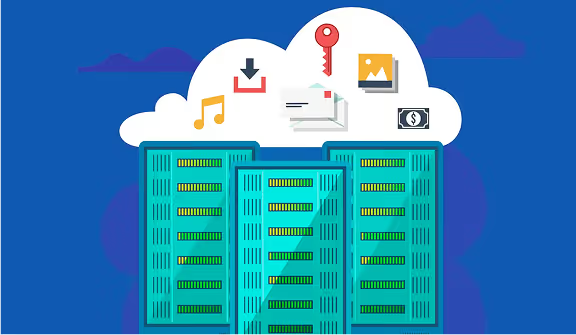
The cloud server is at the origin of the functioning of any application or website. Most often integrated into an IT infrastructure owned by a cloud service provider, it is he who allows the offer of online services such as the hosting of a website or a database.
What is a cloud server?
A cloud server is a type of server that is hosted in a cloud computing environment. Unlike a traditional physical server that you may have in a data center or in your own infrastructure, the cloud server is virtual and operates on a cloud infrastructure. It is created from a physical server and made available from the web. The cloud server is hosted in a data center belonging to the service provider.
How does a cloud server work?
Cloud servers are created using virtualization software. Called hypervisors, they divide physical servers into several virtual servers. The software then extracts computing power from the server and will group them together to create what we call virtual servers. We will distinguish 3 types of cloud infrastructures:
- IAAS (Infrastructure as a Service) that provides virtual computing resources such as servers, storage, and networks on a pay-as-you-go basis
- PAAS (Platform as a Service) that provides a platform for developers to build, deploy, and manage applications without having to manage the underlying infrastructure. It generally includes development tools, databases, and runtime environments.
- SAAS (Software as a Service) which offers software applications accessible via the Internet. Users don't need to install or maintain the software on their own machines because it's hosted and managed by the vendor.
What are the benefits of cloud servers?
Using cloud servers allows your business to benefit from a number of advantages:
- Flexible environment: Cloud solutions are adaptable, as you can increase or decrease the resources used according to your needs.
- Accessibility of resources: Via a simple internet connection, all employees have the possibility to access resources hosted in the cloud.
- Cost reduction: By eliminating the need to acquire or manage IT infrastructure, cloud servers are very relevant to contribute to a significant reduction in costs.
- Data security: More often than not, cloud service providers incorporate robust security measures into their offering, which ensures that your organization's sensitive data is protected.
What are the different types of cloud servers?
A cloud server can be deployed in a number of ways. There are three cloud server models:
- The private cloud: This cloud computing infrastructure is reserved for a single organization, offering total control and increased security. The private cloud server can be hosted in-house or by a third party provider.
- The public cloud: It is a cloud computing service available to the general public, where resources are shared between several customers and managed by an external provider.
- The hybrid cloud: Combining the advantages of the public cloud and the private cloud, the hybrid cloud makes it possible to store information or run the least sensitive applications within a public cloud. The most sensitive will be reserved for the private cloud. It thus ensures flexibility and better integration of resources.
How do I set up a cloud server?
Setting up a cloud server involves several general steps, which may vary slightly depending on the cloud service provider (like AWS, Azure, Google Cloud, etc.). Here is a simplified guide to give you an idea of the process:
Step 1: Choose a supplier and create an account
Select a cloud service provider (for example, AWS, Azure, Google Cloud) and create an account.
Step 2: Launch a server instance
- Log in to the vendor management console.
- Go to the section dedicated to instances or virtual machines (VMs).
- Choose the type of instance or virtual machine (size, capacity, etc.) according to your needs.
Step 3: Configure instance settings
- Select operating system image : Choose the operating system (Linux, Windows, etc.) to be installed on your server.
- Set up resources : Set the amount of CPU, RAM, and storage.
- Configure network settings : Define network options, such as subnets, security groups, and IP addresses.
Step 4: Define security policies
Configure security groups or firewalls to control access to your server (open ports, authorized IP addresses, etc.).
Step 5: Create and associate security keys
For Linux servers, generate an SSH key pair to connect securely. For Windows, set up administrator credentials.
Step 6: Launch the instance
Review all configurations and launch the instance. The vendor will build and deploy the server according to your specifications.
Step 7: Access and configure the server
- Connect to your server via SSH (for Linux) or Remote Desktop (for Windows).
- Configure the server according to your needs (software installation, network configurations, etc.).
Step 8: Monitor and manage the instance
Use the management and monitoring tools provided by the vendor to track performance and manage the instance.