What is a cloud application?
Cloud
5 min
Posted on
4/2/2026


You've certainly heard of cloud computing, also known as cloud computing. But do you know in detail the nature and operation of cloud applications ? Present in companies and used every day by number of users, they have become omnipresent and unmissable. We'll tell you more on this page and show you a selection of the best cloud storage applications.
A cloud application is simply an application that is not stored on the user's device. The latter can access the service via a simple internet connection and benefit from its application in a few moments.
This approach has several advantages related to the benefits of cloud computing. First of all, it offers great flexibility, because users have the possibility to access their application from any place and at any time. In addition, these applications benefit from regular and automatic updates and there is no need to worry about technical infrastructure or tool management.
Cloud software is used every day by millions of users all over the world. Individuals or professionals can Leverage cloud technology to increase simplicity and productivity.
In terms of use cases, we can cite these computer applications in the cloud in particular:
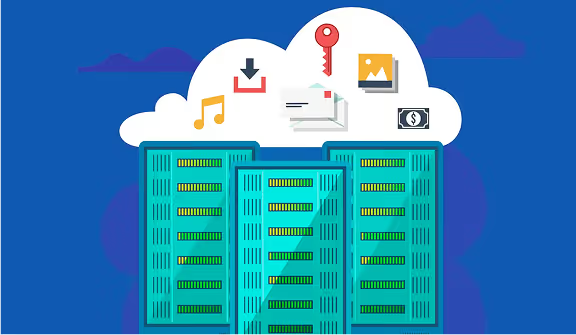
The cloud applications that the user needs are stored on computer servers located within datacenters (data centers). Cloud solution providers can offer a wide range of computing resources and cloud software, meeting different specific needs. In particular, we can mention cloud storage services or access to mobile applications.
Whatever the type of application, the user always sends a request via their device. The latter is transmitted to the servers ofthe secure cloud Who will Process it and send a response. This is when the user can take advantage of his application, because the information is displayed in his web browser or mobile application.
There is not one, but three cloud application models. If the operation of such an application always involves data processing and storage divided between the server-side system and the client-side system, the way in which this distribution is managed may differ. This is how you can encounter SaaS, PaaS, or IaaS cloud solutions.
SaaS or software as a service refers to a cloud app offered to users and whose necessary infrastructure is managed by the service provider. The performance of the software then no longer depends on the company's information system (IS), but only on the speed of the Internet connection.
Rather, PaaS or platforms as a service are used for the development of applications. Thus, IT teams composed of developers have the opportunity to develop applications and manage them without worrying about the necessary IT infrastructure. They can then focus on the user experience by exploiting the potential of the cloud environment.
In the case of IaaS or infrastructure as a service, the cloud service provider will take care of the technical infrastructure i.e. servers, the network, or virtualization. The user then only has to rent computer resources according to your needs accessible via a specific API or a dashboard.
Although cloud adoption is widespread and if the deployment of a cloud application by your company seems inevitable, we recommend that you follow some best practices. To benefit from all the advantages of cloud technology, it is indeed essential to follow a few simple steps, but essential if you want successfully deploy cloud software at scale within your organization.
The prerequisites, which take the form of 6 key steps, are as follows:
To help you make the right choice, we present five cloud storage solutions that can be used for corporate document sharing. So you will be able to determine which one best meets the specific needs of your business.
The Dropbox cloud storage service allows its users to store, sync, and share files. Its use is simple and accessible, but its functionalities may be limited, especially when it comes to collaborative work.
The Google Drive platform offers the opportunity to store documents and offers various tools such as Google Docs, Google Sheets or Google Slides. These features can help some businesses complete daily tasks quickly and easily. However, data privacy and security are not optimal.
The Wimi collaborative suite is one of the best cloud storage services. Indeed, it is a French cloud solution. It therefore offers its users the opportunity to store their data on a cloud infrastructure in France and benefit from information encryption. Regular backups and a set of collaborative tools complete the offer.
If your business Harness the potential of the Apple ecosystem, the iCloud solution can be very relevant for storing files online. However, the platform is very dependent on Apple tools and is not very relevant if the workstations and smartphones of your employees do not work on Mac OS or iOS.
Mega is the online storage solution that was created following the closure of the Megaupload site. The platform offers free or paid services, corresponding to different levels of benefits. The data is stored in various data centers scattered throughout the European Union.