The French alternative to Notion, structured and sovereign
Wimi is a French collaborative suite that structures your team workspaces and project wikis. Developed in France and qualified SecNumCloud SaaS 3.2 by ANSSI, Wimi is operational from day one for SMEs and mid-sized companies looking for an alternative to Notion.
SecNumCloud SaaS 3.2 Qualified

4.7/5 on Capterra
SecNumCloud SaaS 3.2 Qualified







Why are organizations looking for an alternative to Notion?
French SMEs and mid-sized companies evaluating an alternative to Notion are looking for four concrete benefits: an organization that stays clear over time, fast adoption by every team, the guarantee that their content is never used to train an AI, and hosting of their data under French jurisdiction. Here is how Wimi meets each of these criteria.

Wimi structures collaboration through compartmentalized project Workspaces. Each Workspace brings documents, tasks, discussions and calendar together in one place, with a predictable hierarchy from the moment it is created. This architecture avoids the proliferation of pages and databases that makes information hard to find in a poorly maintained flexible workspace. Teams quickly find what they are looking for, without relying on an in-house expert to navigate.

Wimi offers ready-to-use Workspaces that can be adapted without any technical configuration. Employees contribute from day one, whatever their profile, without having to learn a language of formulas, rollups or relations between databases. This simplicity reduces the need for outside support and speeds up adoption in non-technical teams.

Wimi never passes any of your content through a general-purpose artificial intelligence model. This commitment is contractual: no open API to third-party LLMs, no automated processing of your pages, documents or discussions. With Wimi, there is no additional cost of this kind and no data exposed.

Wimi hosts 100% of its customers' data in France, with providers that are themselves SecNumCloud qualified. This approach complies with Article 48 of the General Data Protection Regulation, which prohibits any transfer of personal data to a third country without a legal basis compliant with European Union law. Unlike vendors subject to the US CLOUD Act or Section 702 of the FISA Amendments Act, Wimi is not subject to any obligation to disclose data to extraterritorial authorities. The SecNumCloud SaaS 3.2 qualification issued by ANSSI in Q2 2026 attests to this level of sovereignty and security.
How does Wimi replace Notion across every use case?
Wimi covers the four main uses for which Notion is adopted (team wiki, project management, shared documentation, knowledge base) and adds the collaborative building blocks that Notion does not offer natively: team messaging, video conferencing and professional email built into the same suite.

Ready-to-use project workspaces
A Wimi Workspace is a compartmentalized project environment that brings documents, tasks, discussions and calendar together in one place. Each Workspace can be organized by department, by client or by assignment, with granular access rights. Teams get an operational base structure right away, which they adapt as the project evolves, without having to build everything from a blank page.
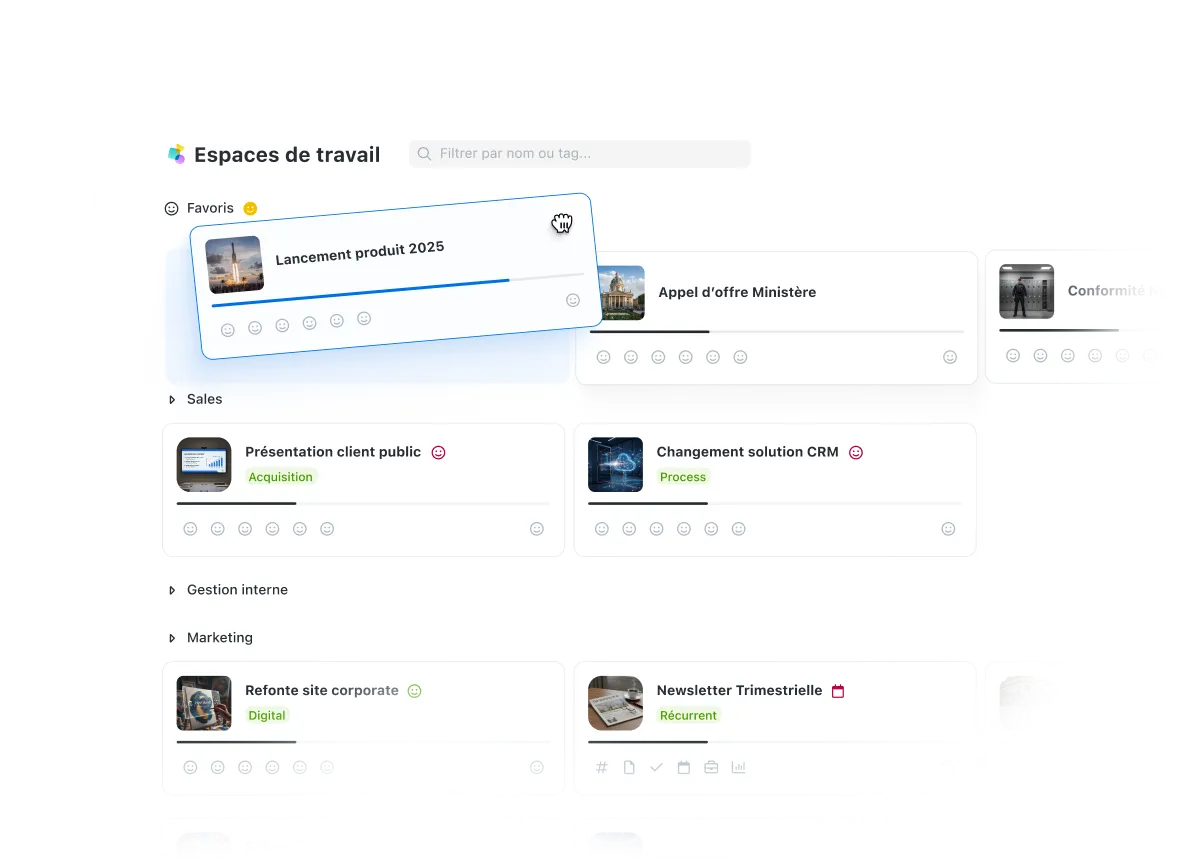

Kanban, Gantt, dependencies: project management built in natively
Wimi Workboard is a project management module built into the Wimi suite, offering kanban, Gantt and list views with native task dependencies. Project managers set milestones, assign resources and track progress without rebuilding each piece of business logic. The views are designed for project management, which avoids repurposing databases for use cases that call for a truly dedicated tool.
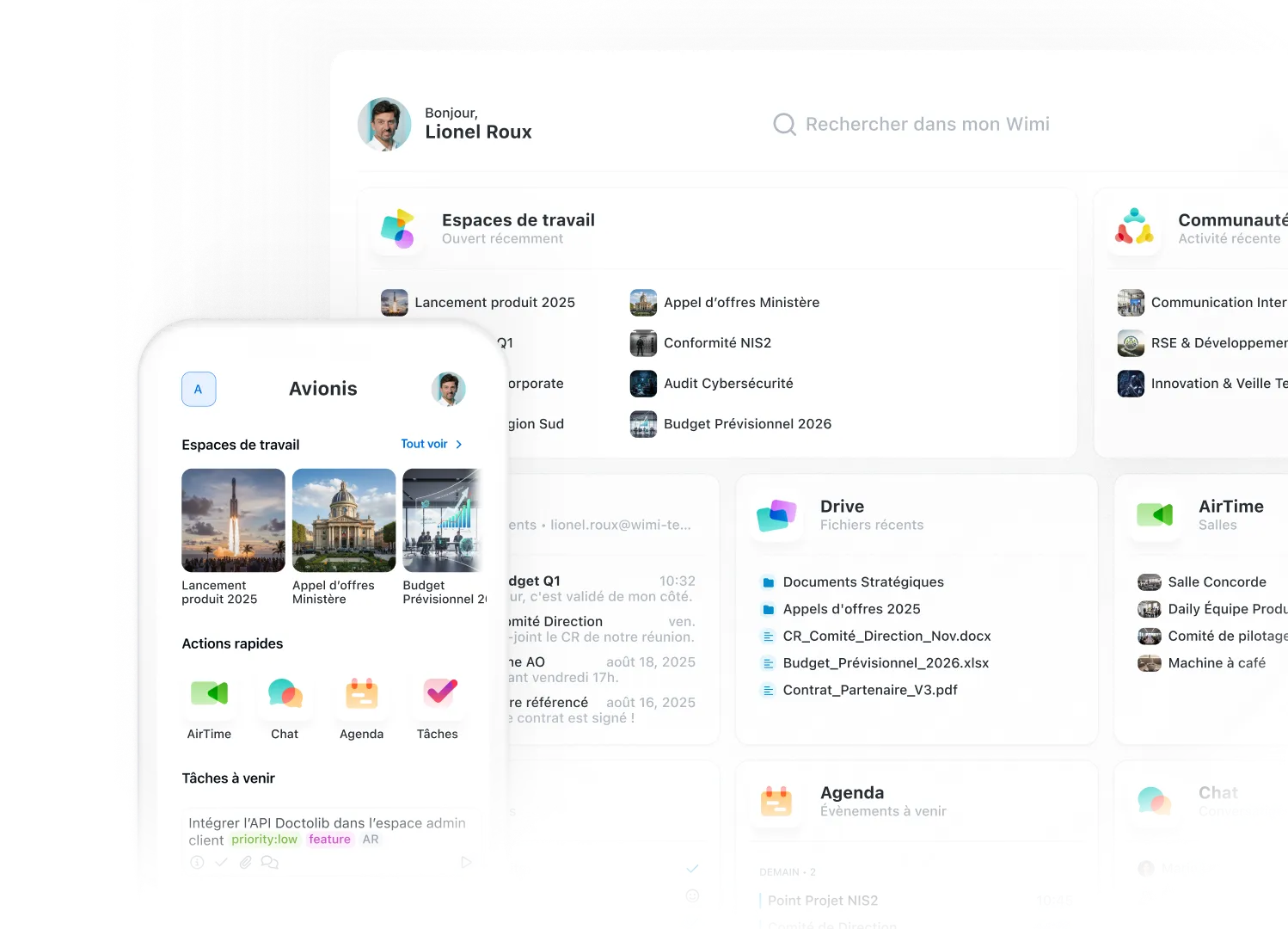

Your documents in standard formats, portable anywhere
Wimi Docs is a real-time co-editing system based on integrated Onlyoffice, enabling collaborative editing of documents in standard formats (DOCX, XLSX, PDF). Versioning is native, comments are contextual, and sharing is granular. These formats remain portable and usable anywhere, even outside Wimi: you keep full control of your document content.
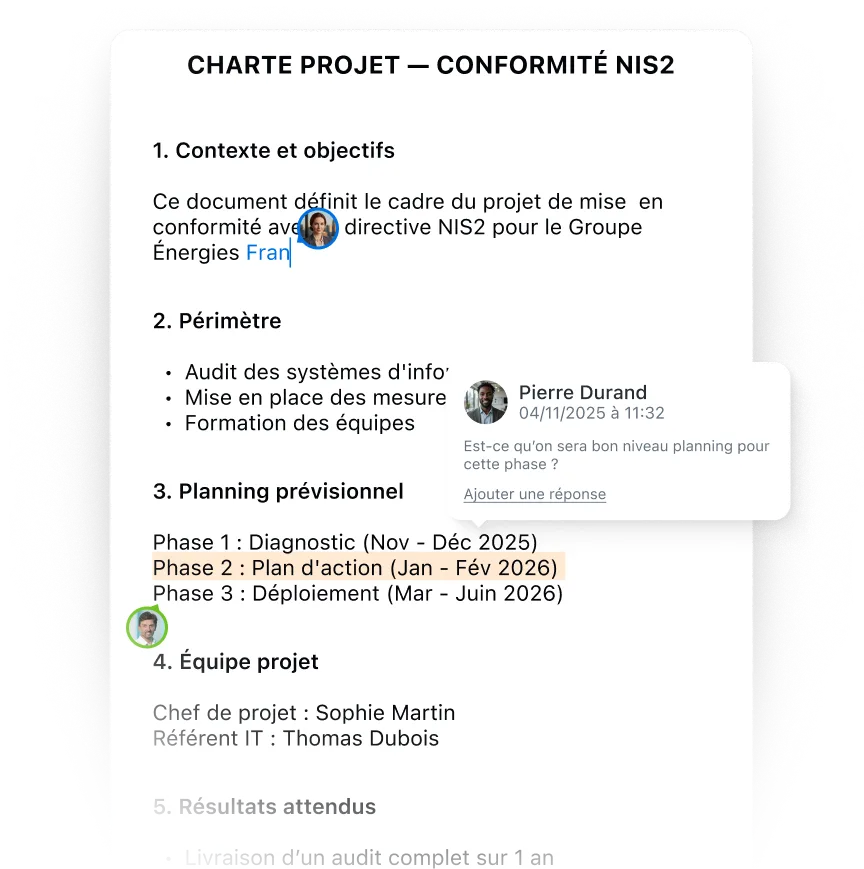

Messaging, video and email built into the same suite
Wimi natively integrates three complementary collaborative building blocks: Wimi Chat (team messaging for quick exchanges), Wimi AirTime (video conferencing hosted in France, with screen sharing and recording) and Wimi Mail (professional email with domain management). This integration removes the need to assemble and synchronize third-party tools around a main tool, while keeping all exchanges under French jurisdiction.

How do you migrate a Notion workspace to Wimi without disruption?
Migrating a Notion workspace to Wimi follows a proven four-step methodology, adapted to the specifics of Notion (Team Spaces, relational databases, granular permissions). The goal: preserve all of your content, maintain team productivity and deliver an operational Wimi environment within six weeks at most.
Complete audit of your Notion ecosystem before migration:
- Volume of pages, sub-pages and databases per Team Space and per user
- Mapping of members, guests, permissions, and private vs. shared pages
- Inventory of existing integrations (Zapier, Slack, GitHub, Google Drive) and critical templates
- Identification of complex databases (formulas, rollups, relations) to be reworked manually
Full transfer via the official Notion API:
- Extraction of pages, sub-pages, databases, blocks and attached files
- Conversion of databases into Wimi Workboard projects or Wimi Docs tables, depending on actual use
- Streamlining of the duplicates identified during the audit
- Replication of Team Space permissions in compartmentalized Wimi Workspaces
Translating your Notion habits into the Wimi method:
- Live workshops and tutorials by role (administrator, project manager, contributor, guest)
- Training over three to five days, included in the service
- No need for an outside expert to train your teams
Go-live with six weeks of enhanced support:
- Gradual rollout team by team, or a single switchover, depending on business constraints
- Hypercare support in under two hours
- A dedicated Wimi contact throughout the switchover phase
- Read access to Notion retained during hypercare
“Wimi is a solution perfectly suited to collaboration in project mode. Its ease of handling and the flexibility offered according to uses convinced us. Covid-19 and the periods of teleworking have only amplified the need for such a solution to maintain exchanges and continue our projects.”Lorem ipsum dolor sit amet, consectetur adipiscing elit, sed do eiusmod tempor incididunt ut labore and dolore magna aliqua. Ut enim ad minimim veniam, qui nostrud exercising ullamco laboris nisi ut aliquip ex ea commodo consequat. Duvet high grain color wine In voluptate velit esse illum dolore eu fugiat nulla pariatur.


"Au CD87, Wimi a été adopté pour sa souveraineté, son coût maîtrisé et sa richesse fonctionnelle. Son ergonomie, son déploiement SaaS sans additif et l’intégration d’Onlyoffice dans Wimi Online, ont permis d’abandonner Microsoft Office et de favoriser la coédition pour tous nos agents. La visio, le chat et la gestion de projets intégrés rendent les services autonomes et efficaces. Une solution simple, soutenue par un accompagnement commercial de proximité, que nous recommandons sans hésiter aux collectivités."


“Wimi is a solution perfectly suited to collaboration in project mode. Its ease of handling and the flexibility offered according to uses convinced us. Covid-19 and the periods of teleworking have only amplified the need for such a solution to maintain exchanges and continue our projects.”


"Wimi nous permet de centraliser notre processus de création et de planification de contenus. La plateforme nous apporte une vision claire et centralisée de notre production. Je le recommande sans hésiter aux équipes qui veulent gagner en agilité et optimiser leur processus de création de contenus."


"Wimi nous permet de faciliter la communication entre le staff et les joueurs, de fluidifier le partage des données et d’accélérer la planification de nos évènements sportifs. Le budget est aussi très attractif au regard du périmètre fonctionnel, riche et ergonome couvert par la solution."

Project management tool alternatives

Your questions about the Notion alternative
What are the best French alternatives to Notion in 2026?
Wimi is one of the leading French alternatives to Notion in 2026. Developed in France since 2010, Wimi offers a comprehensive collaborative suite designed for SMEs and mid-market companies:
- Workspaces partitioned by project
- Workboard for task management (Kanban, Gantt)
- Docs in standard formats (DOCX, XLSX, PDF) via OnlyOffice
- Chat, AirTime, and Mail natively integrated
- eIDAS electronic signature built-in
Wimi is SecNumCloud SaaS 3.2 qualified by ANSSI, hosted in France by providers who are themselves SecNumCloud qualified. Discover all features.
Is Wimi as flexible as Notion for building custom workspaces?
Wimi prioritizes ready-to-use structure over extreme flexibility. Wimi Workspaces are operational immediately, with no need for advanced configuration or technical skills.
What teams gain from this approach:
- Rapid adoption across all profiles, including non-tech users
- Near-zero maintenance over time
- Clear structure for new arrivals
- No dependency on an internal expert to navigate
The trade-off: extreme customization of every block is not Wimi's focus. This approach meets the needs of SMEs and mid-market companies that are looking primarily for a productive and widely adopted tool, rather than a platform they have to build from scratch.
How do I migrate a Notion workspace to Wimi?
The migration follows 4 structured steps over 4 to 8 weeks:
- Mapping your Notion workspaces : audit of Team Spaces, permissions, integrations, and databases (1 to 2 weeks)
- Secure retrieval via the official Notion API: pages, databases, files, and permissions (1 to 3 weeks)
- Onboarding and training by profile (administrator, project manager, contributor) in 3 to 5 days
- Switchover gradual or all at once, with 6 weeks of hypercare and a dedicated Wimi contact
Your content, permissions, and integrations are fully preserved. Read-only access to Notion is maintained throughout the hypercare phase. Discuss my migration.
Can complex relational databases be migrated from Notion?
Yes. Each Notion database is analyzed with you to identify the best Wimi equivalent based on actual usage:
- Kanban / Gantt databases → converted into projects Wimi Workboard with native dependencies
- Static tables → converted into Wimi Docs tables
- Mixed databases → combination of Workboard + Docs based on business logic
- Formulas, rollups, and relations → converted manually when necessary, with business validation before the switch
This phase is included in the migration service. We often take this opportunity to streamline databases that had become over-complicated over the months.
How does Wimi's pricing compare to Notion's?
Wimi offers a single, predictable subscription that includes the entire suite: Spaces, Workboard, Docs, Chat, AirTime, Mail, and Sign.
For comparison, Notion offers a tiered pricing structure :
- Base plan per user per month - source: notion.so/pricing)
- Additional add-ons as needed
What happens to my Notion integrations (Zapier, Slack, GitHub) after the migration?
Critical integrations are identified during the audit phase and recreated in Wimi using its native connectors or open API.
Native Wimi integrations :
- Office tools : Outlook, Teams, Google Workspace
- Automation : Zapier, Make (formerly Integromat)
- Dev : GitHub, GitLab
- Communication : Slack, Microsoft Teams (interop)
- Storage : Google Drive, OneDrive, Dropbox
- E-signature : Universign, DocuSign (via native Wimi Sign)
Notion-specific integrations (proprietary embeds, external database sync) are handled on a case-by-case basis during migration. No blockers have been identified to date for the most common integrations.
Can you keep Notion's "everything is a page" approach with Wimi?
Wimi favors a project-based workspace structure rather than nested free-form pages. This approach offers two concrete benefits:
- Immediate clarity from the moment you start: every workspace follows a predictable hierarchy (documents, tasks, discussions, calendar)
- Long-term findability : no more proliferation of orphaned pages as time goes on
Teams that heavily relied on Notion's "free-form page" mode often discover that an explicit structure improves long-term collaboration, especially when new members join the project or when multiple teams need to share the same environment.
For true "free-form wiki" use cases (knowledge bases, open product documentation), Wimi Docs allows you to create structured documents with tables of contents and dynamic summaries.
Is my Wimi data used to train AI?
No, never. Wimi makes an explicit contractual commitment :
- No content (pages, documents, discussions, files) is used to train any model
- No open APIs to third-party LLMs (OpenAI, Anthropic, Google, Mistral, etc.)
- Encryption at rest and in transit across the entire platform
- 100% hosted in France with SecNumCloud-qualified providers
- SecNumCloud SaaS 3.2 qualification issued by ANSSI in Q2 2026
This commitment is included in our terms and conditions and can be verified by an independent audit upon request. Learn more about Wimi's sovereignty.
Is Wimi GDPR compliant and hosted in France?
Yes, on both counts. Wimi is a French software provider whose servers are all hosted in France.
Certifications and qualifications held :
- SecNumCloud SaaS 3.2 issued by ANSSI (Q2 2026)
- HDS (Health Data Hosting)
- ISO/IEC 27001:2022
- NIS2 compliant and DORA
Native GDPR compliance :
- Encryption at rest and in transit
- Processing registers
- Access and deletion rights management
- Appointed DPO
- Incident notification within 72 hours
Hosting is provided by SecNumCloud-qualified providers (Opcore, Outscale), ensuringimmunity from extraterritorial regulations (CLOUD Act, FISA §702).
How long does the migration from Notion to Wimi take?
The migration takes 4 to 8 weeks on average, broken down as follows:
| Phase | Duration | Deliverables |
|---|---|---|
| 1. Audit | 1 to 2 weeks | Mapping of Team Spaces, permissions, integrations and identified duplicates |
| 2. Technical migration | 1 to 3 weeks | Transfer via the Notion API, database conversion, permission replication |
| 3. Training + switchover | 1 to 3 weeks | Role-based training, go-live, hypercare |
| TOTAL | 4 to 8 weeks | Operational Wimi workspace, trained teams |
The migration service is included in the subscription for organizations with more than 50 users. See pricing.
Is Wimi truly as comprehensive as Notion for collaborative use?
Yes, and on a broader scale. Notion covers wikis, pages, and databases. Wimi covers the same use cases and natively adds the components that Notion does not provide.
Comparison of available components :
| Use case | Notion | Wimi |
|---|---|---|
| Wiki / pages | ✓ | ✓ (Workspaces + Docs) |
| Project management | ✓ (databases) | ✓ (Workboard) |
| Document co-editing | ✓ (Notion blocks) | ✓ (Docs via Onlyoffice) |
| Team messaging | — | ✓ (Chat) |
| Video conferencing | — | ✓ (AirTime) |
| Professional email | — | ✓ (Mail) |
| Electronic signature | — | ✓ (Sign, eIDAS compliant) |

Migrate to Wimi without interrupting your teams.
A roadmap tailored to your Notion workspace and six weeks of hypercare: take back control of the structure and sovereignty of your collaborative data.